Filtering and Searching Shipments
Last updated: March 26, 2026
Terminal49 makes it easy to locate shipments through intuitive search and filtering tools. Users can quickly find shipments using the Global Search bar—accessible from anywhere in the dashboard—by entering a bill of lading, booking number, container number, or reference number. From the shipment dashboard, additional filters like status, customer name, tags, ports, and arrival dates help narrow down results, giving users fast access to the information they need.
When to Use Each Search Method
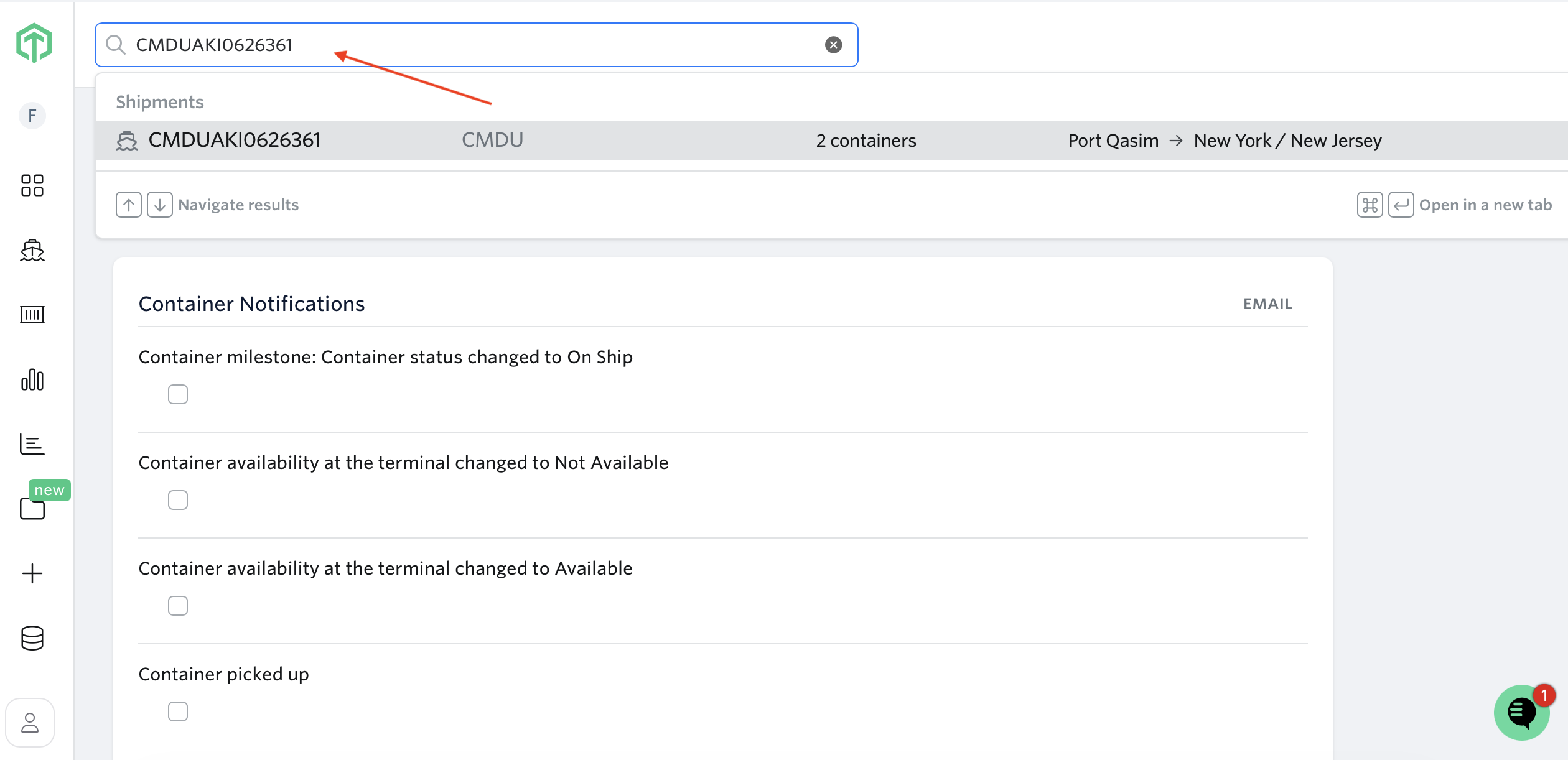
Use Global Search when you need to quickly locate a specific shipment from anywhere in the dashboard—especially useful when resolving a duplicate tracking error.
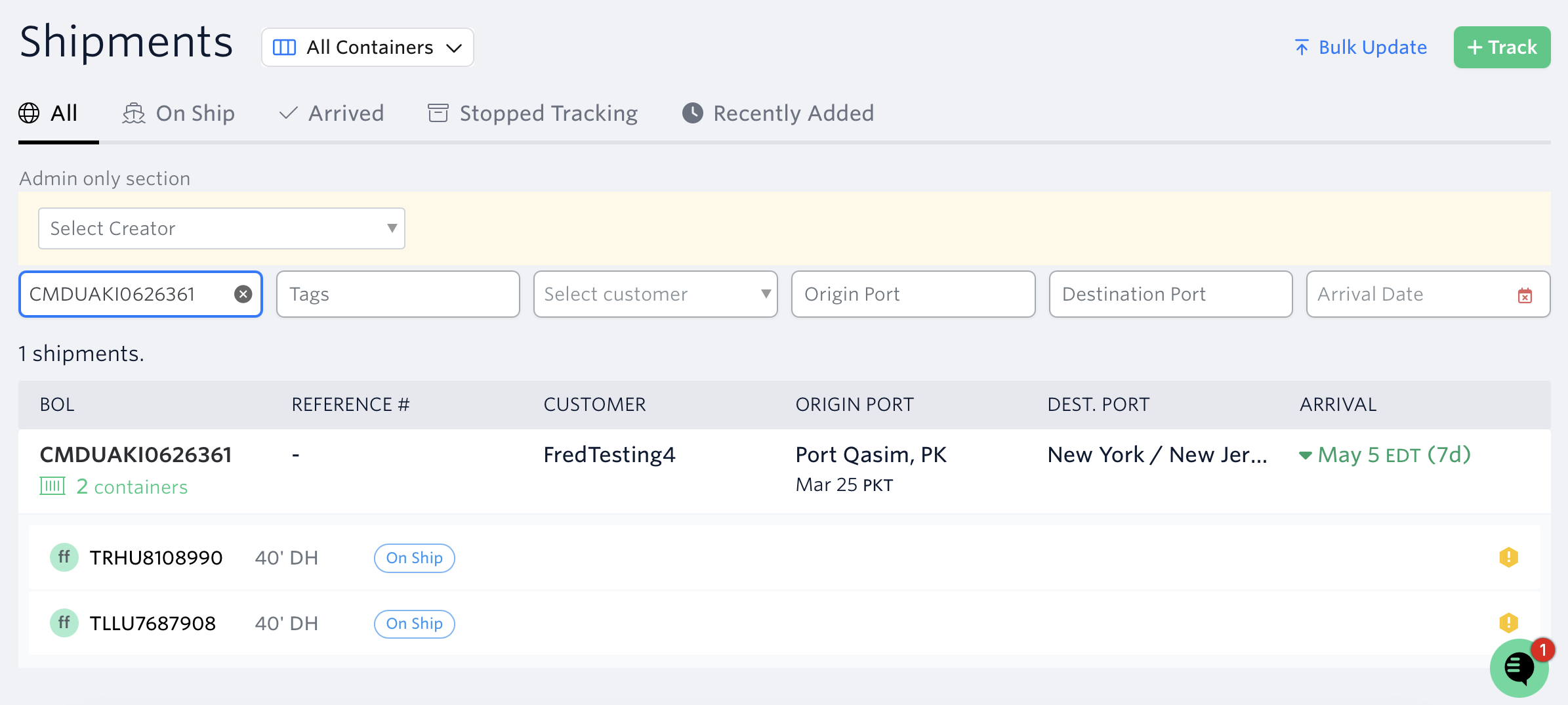
Use Shipment Dashboard Filters when you want to browse or narrow down a list of shipments by status, customer, tags, ports, or arrival dates.
Video Walkthrough:
Global Search
Terminal49's Global Search feature enables users to quickly locate and access shipments anywhere from the dashboard. This functionality streamlines container tracking by eliminating the need to manage multiple browser tabs or navigate through separate views.
To search using Global Search:
From any location in the dashboard, click the global search bar located at the top.
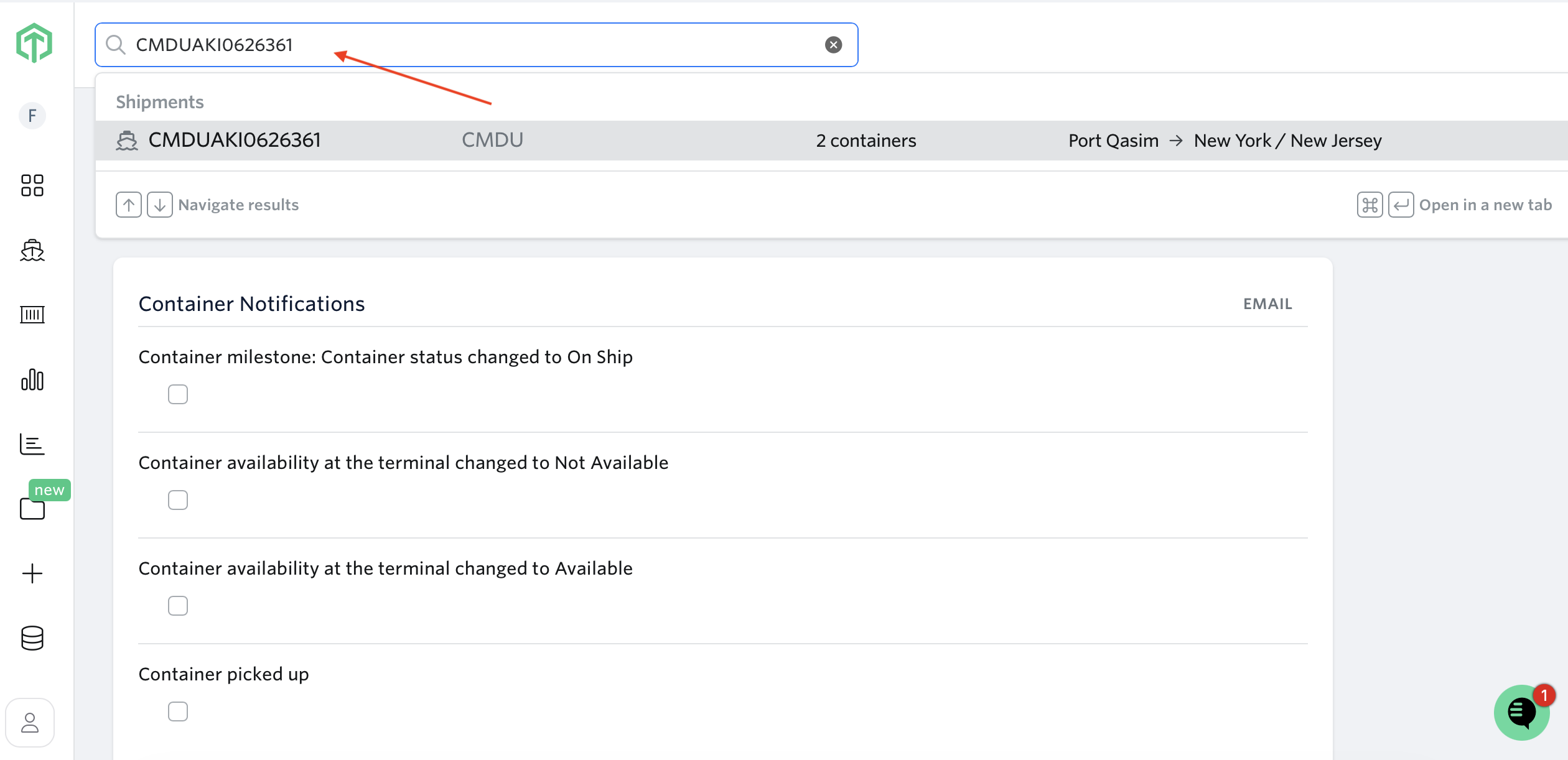
Enter a bill of lading number, booking number, container number, or any relevant reference ID. Search results are returned in real time.
Click on a result to view shipment details in a sidebar panel for immediate access, or open the full shipment page in a separate browser tab.
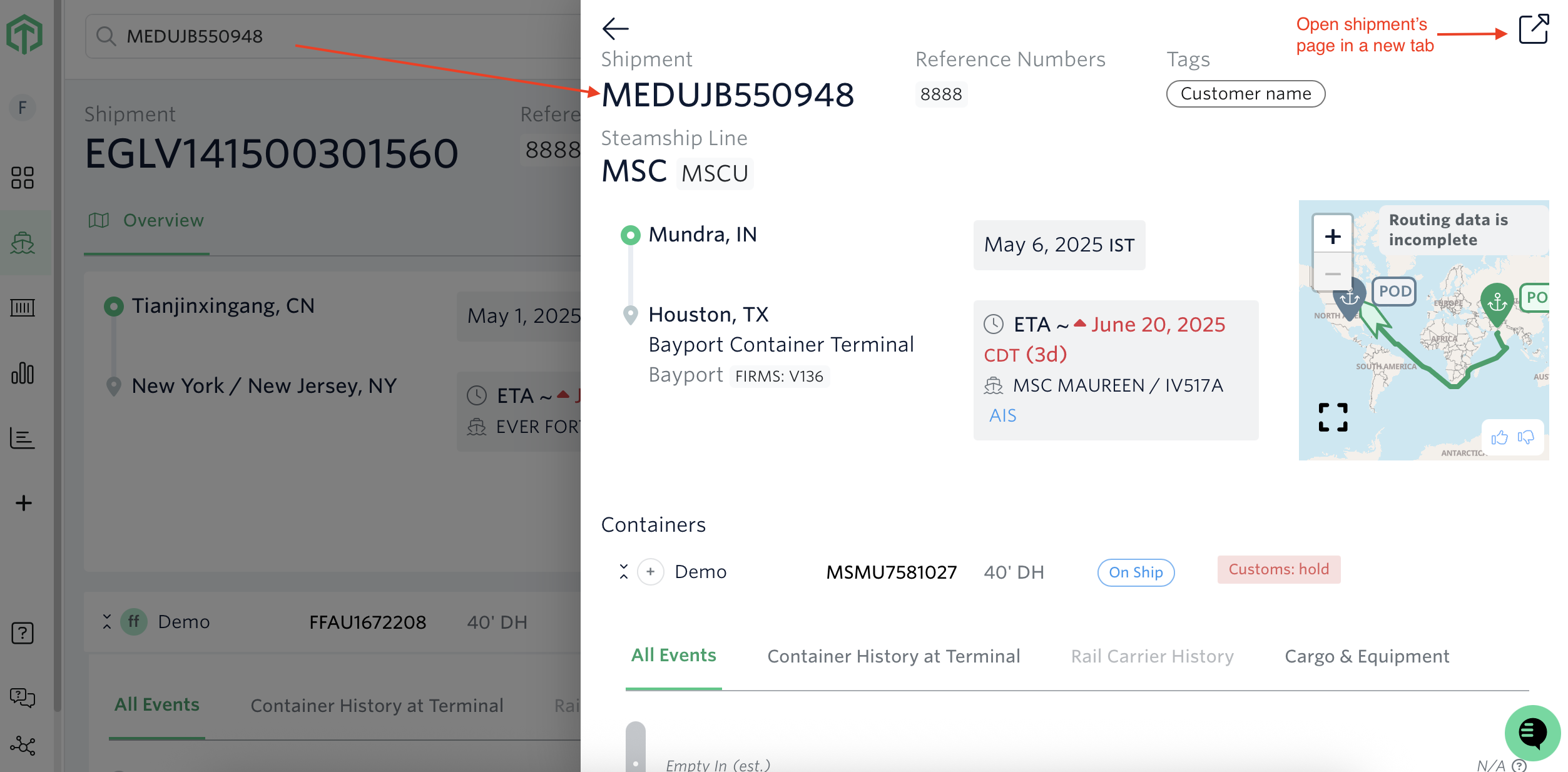
This search is particularly useful when receiving a duplicate tracking error message, as it allows users to quickly locate the existing shipment by searching for the container number in question.
Searching & Filtering Shipments Via Shipments Dashboard
On the shipment dashboard, you can view shipments by status tab. To search and filter shipments:
Navigate to the shipment dashboard.
Select the appropriate tab: All, On Ship, Arrived, or Stopped Tracking.
Enter a bill of lading, booking number, reference number, or container number in the search box to locate a specific shipment.
To narrow results further, apply filters: tags, customer names, origin and destination ports, or arrival dates.
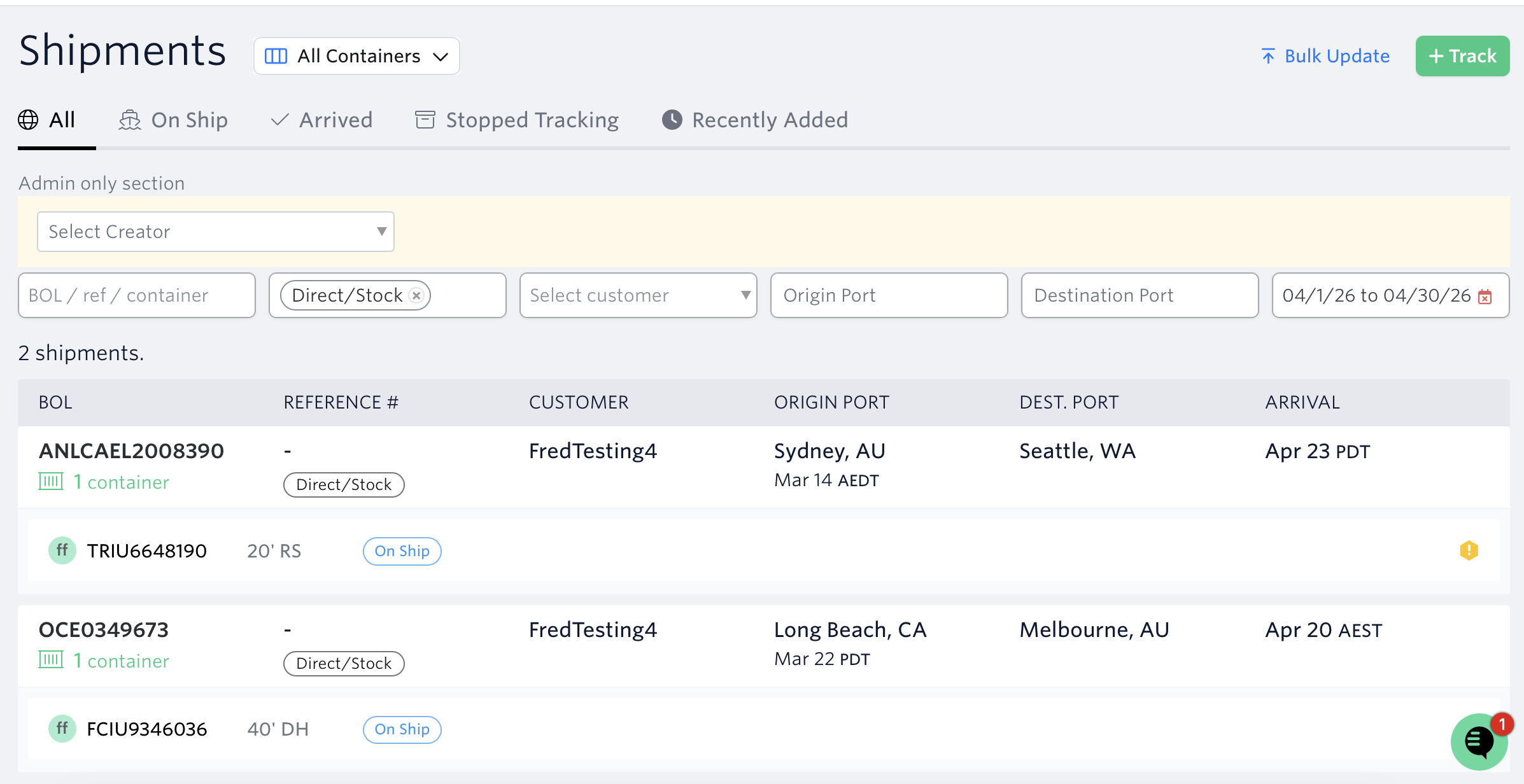
Note: The time zones are local to where the event happens.
See next article: Address Container Issues while they are still On Ship
If you need help with filtering or searching shipments, or have any other questions, the fastest way to get assistance is through our in-app chat. You can also reach us at support@terminal49.com.