Daily Digest Emails Customization
Last updated: March 28, 2025
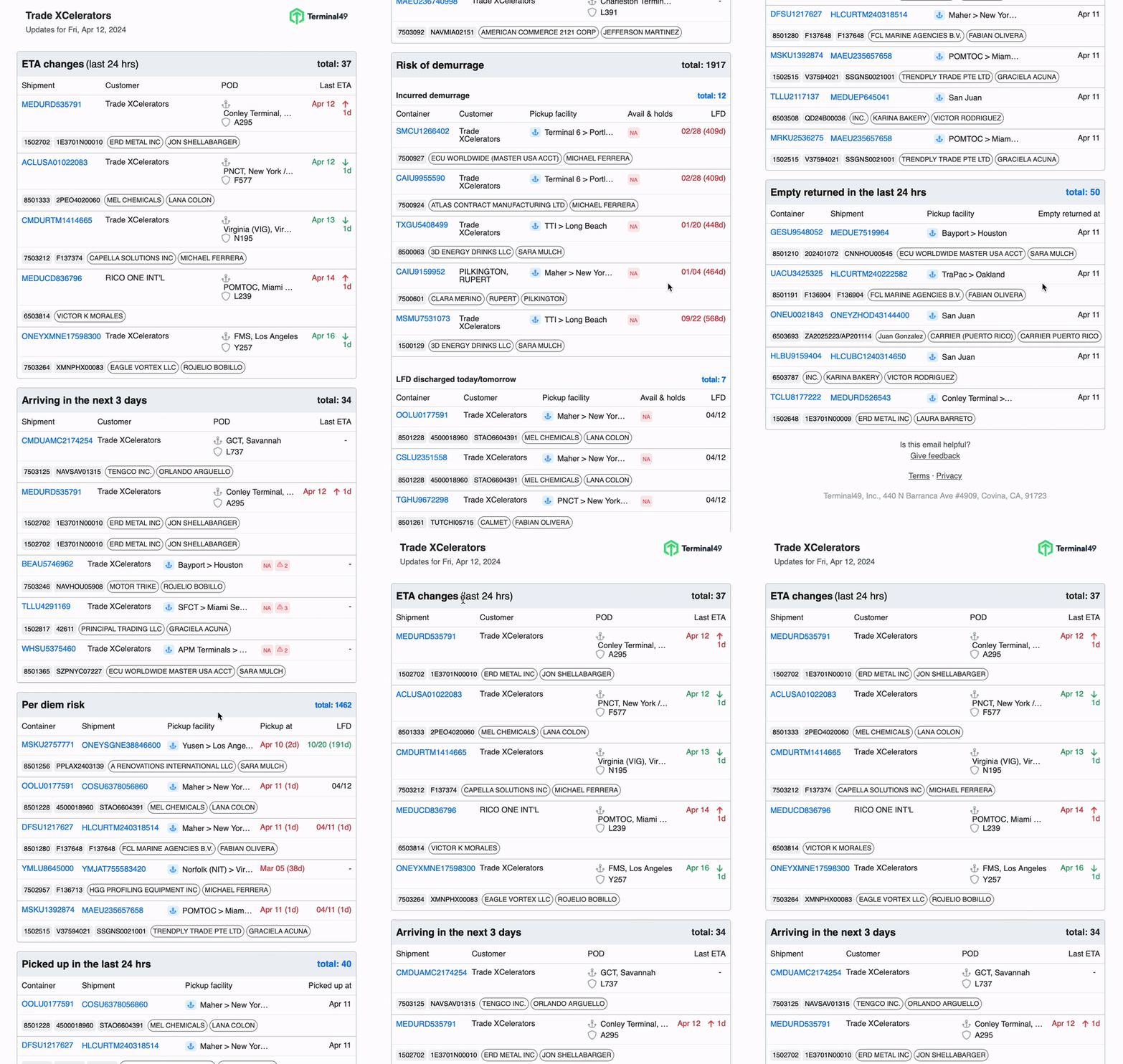
The Daily Digest emails provide a personalized summary of the latest changes in your shipments and containers over the past 24 hours. Whether you're a manager tracking multiple features or someone who prefers detailed notifications, this revamped feature aims to deliver a clear snapshot of essential movements and updates in your container operations.
What are the benefits of subscribing?
Flexibility: Rebuilt email templates offer more flexibility for future customizations.
Comprehensive Information: Allows you to see as much or as little information as you want, tailored to your needs.
Improved User Experience: Enhancements in the UX design make it easier and more intuitive to view and understand your email digest.
What's New? Personalization & Customization
With the new Daily Digest Emails, you can customize the content and frequency of the emails according to your preferences.
Sections to Choose From:
ETA Changes
Arriving in the next 3 days
Risk of Demurrage
Incurred demurrage
LFD discharged today/tomorrow
Has holds and discharged
Has holds and not discharged
Per diem risk
Picked up in the last 24 hrs
Empty returned in the last 24 hrs
New Shipments Added
Cadence Options:
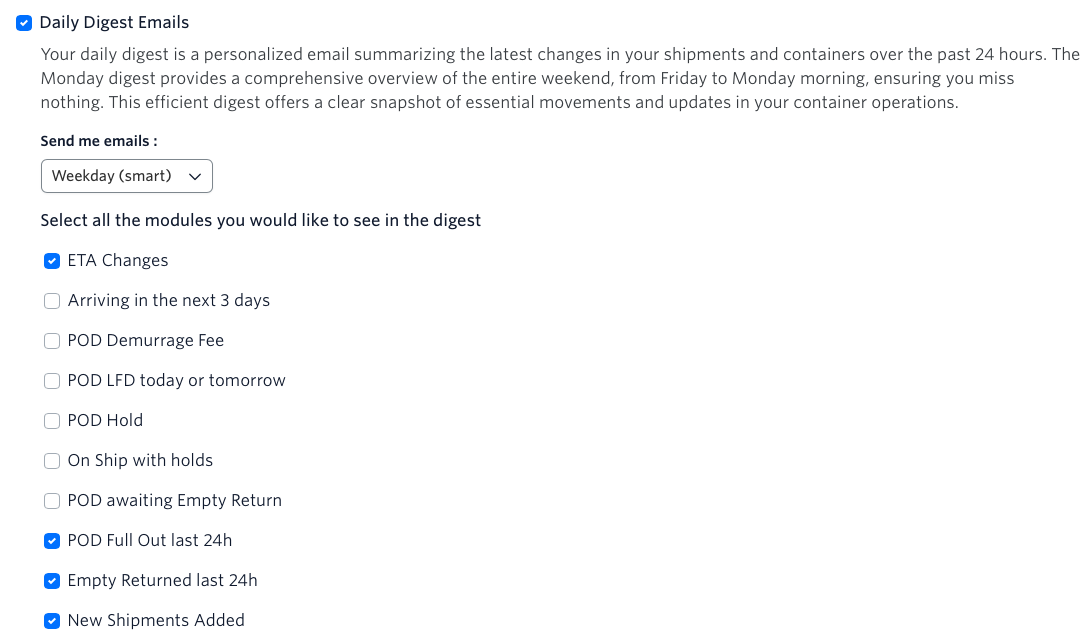
Weekday (smart): Receive emails from Monday to Friday. On Monday, you'll get an aggregated view of the weekend (Friday, Saturday, and Sunday).
Everyday: Opt to receive emails daily.
Direct Dashboard Access:
You can now directly access the corresponding module in the dashboard. This feature lets you quickly navigate the detailed information and take necessary actions without manually searching for the container.
How to Customize Your Daily Digest Emails
Navigate to Notifications Settings
Go to Notifications > Notifications in your account settings.
Choose Sections
Select the sections you want to include in your daily digest emails from the list provided.
Select Cadence
Choose your preferred cadence for receiving these emails: Weekday (smart) or Everyday.
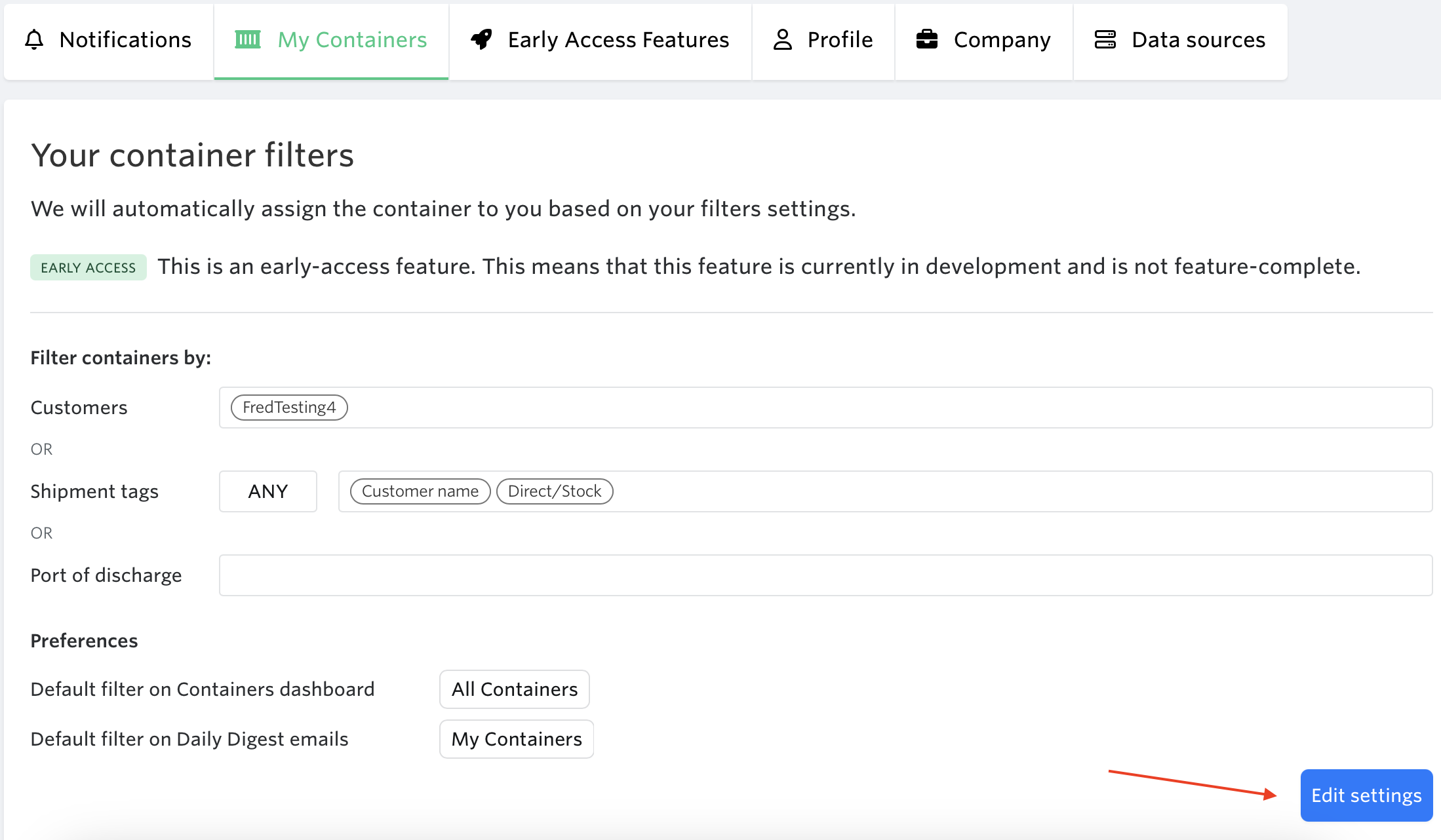
4. Go to My Containers tab > Hit 'Edit settings'
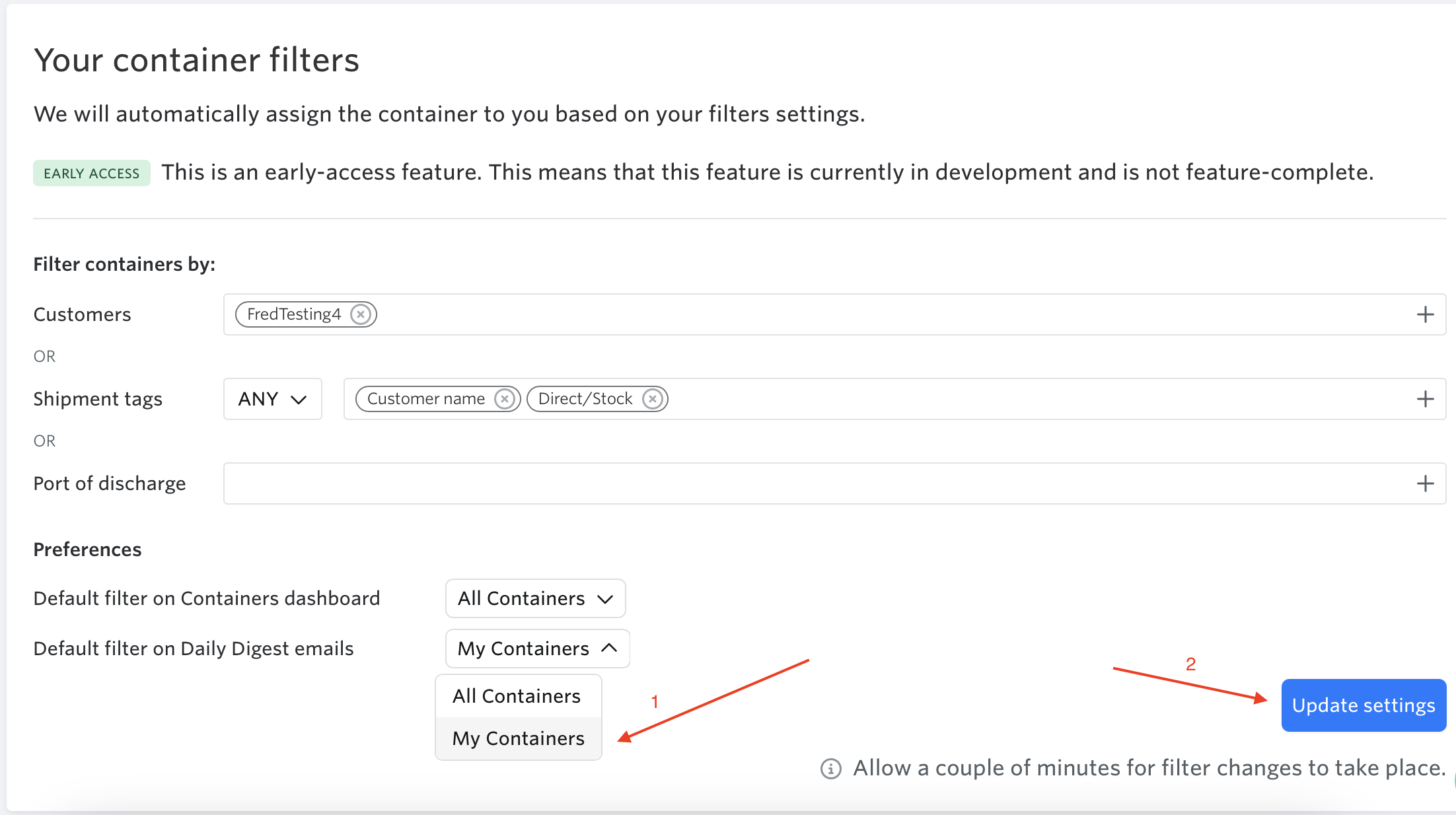
Select preference > Hit 'Update Settings'
'My Containers' to only see containers assigned to you
'All Containers' to see all of the containers in your account
Note: Inactive containers will not appear in 'My Containers'
We are continuously working on new iterations, so please share any feedback you would like to address.
See next article: How Can I Receive Daily Digest Emails for Weekends?