Vessel Arrival Report
Last updated: July 3, 2025
The Vessel Arrival Report provides a clear view of upcoming vessel arrivals at their ports of discharge, along with the containers they’re carrying. It helps logistics teams and operators plan more effectively with up-to-date vessel and container data in one place.
The Vessel Arrival Report allows you to:
Do Arrivals Planning based on seeing how many of your containers are arriving when, updated as ETAs change.
See how many vessels and containers are arriving at each port where you do business.
Know exactly when you'll receive your containers since you can see when vessels arrive at port, berth, and discharge.
Applying Filters to the Vessel Arrival Report
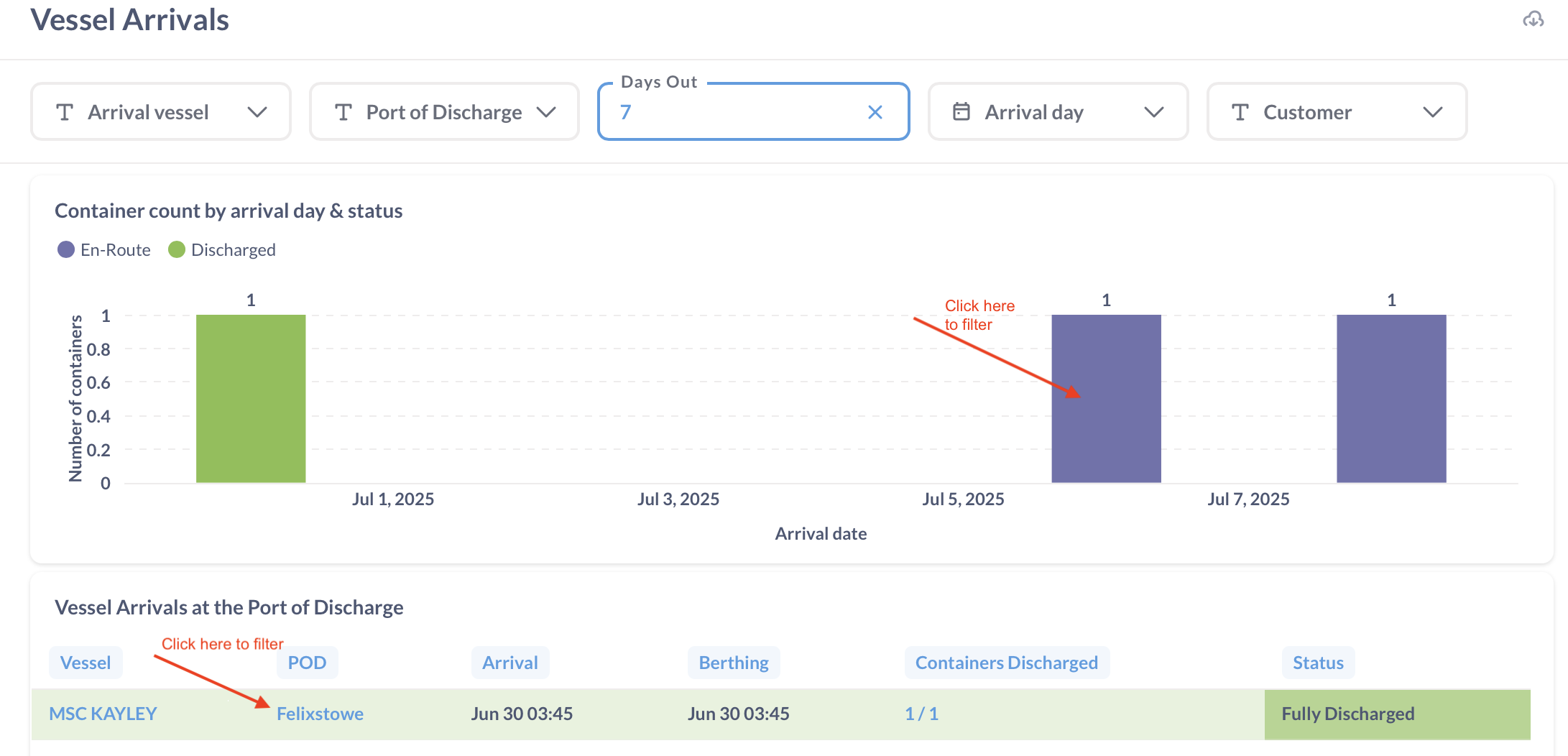
Filter by Arrival Vessel, Port of Discharge, Days Out, Arrival Day, or Customer Name. Use built-in filters to view upcoming vessel activity by port or date range to support your planning needs.
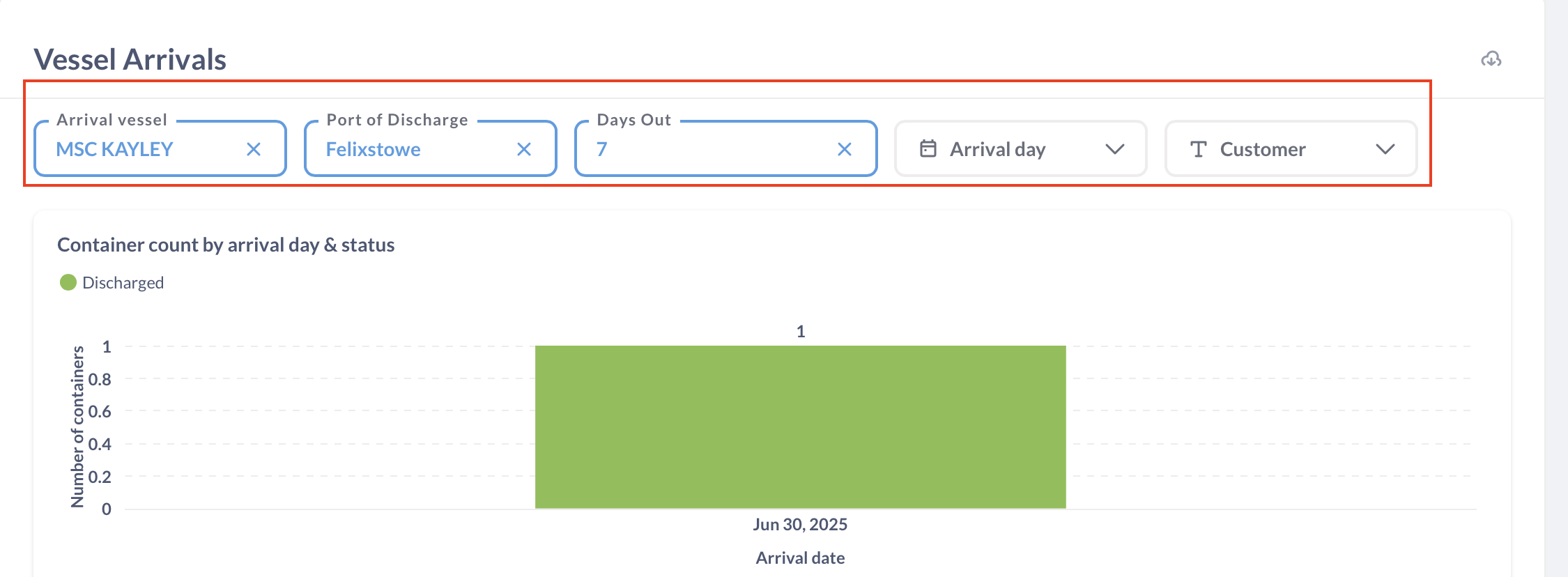
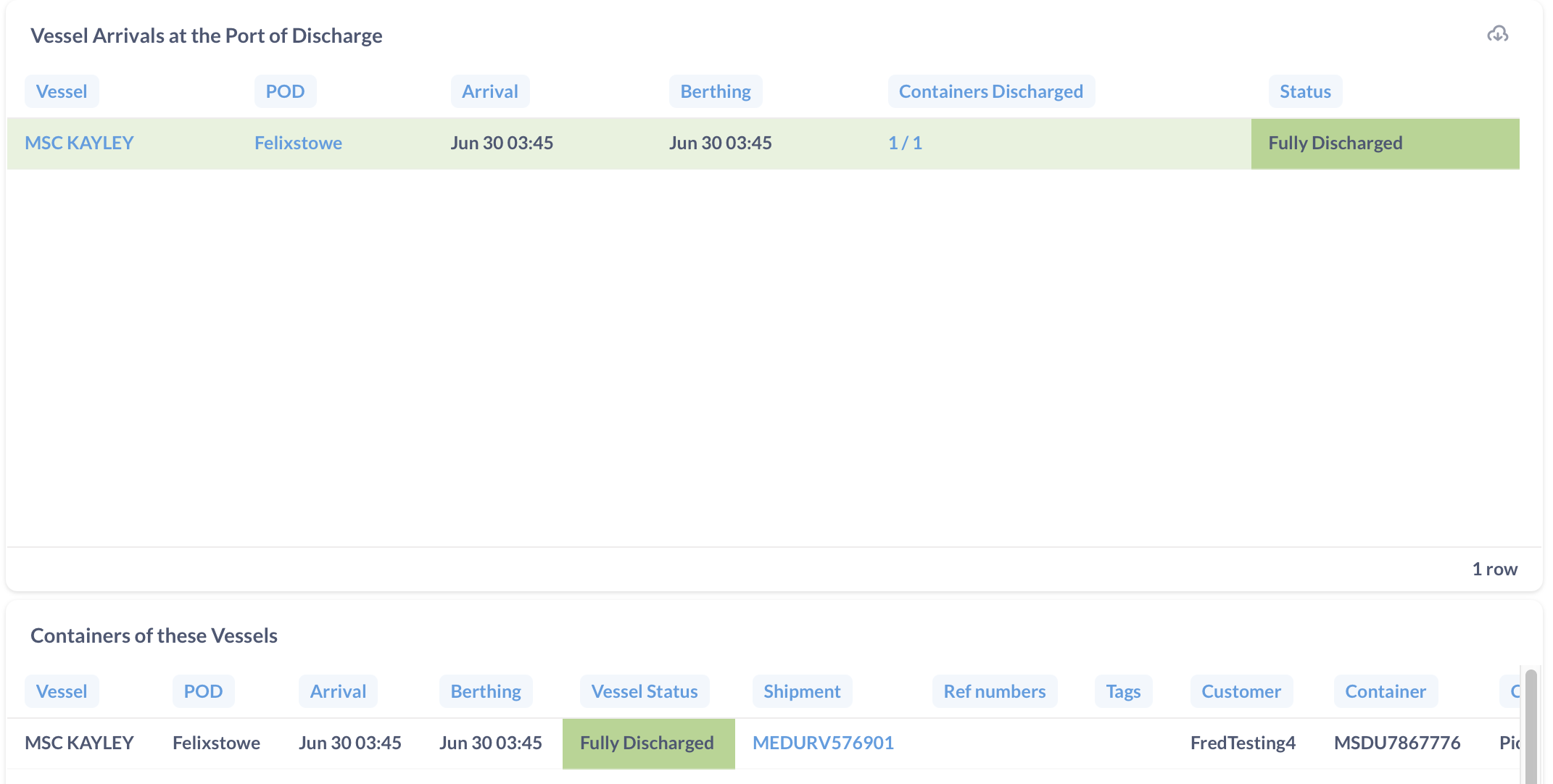
Alternatively you can click on the table values to filter by Arrival Vessel, Port of Discharge, Days Out, Arrival Day, or Customer Name.
What’s in the Vessel Arrival Report
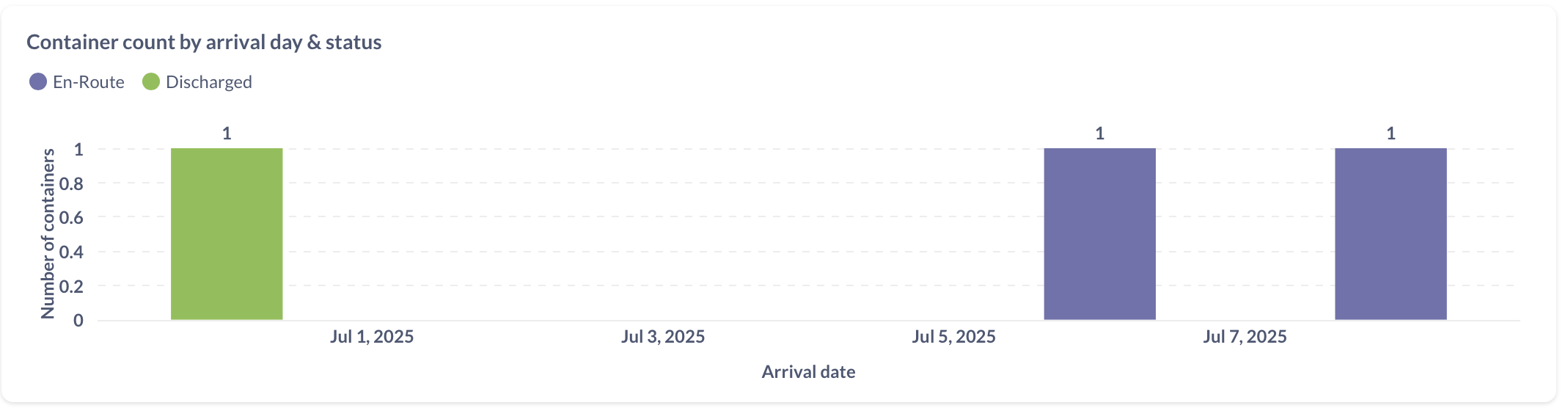
Container count by arrival day & status
This table shows the number of containers scheduled to arrive on each day, along with their current statuses.
Vessel Arrivals at the Port of Discharge
This table lists the vessels carrying your containers, along with their port of discharge, arrival and berthing times, and current statuses.

Containers of these Vessels
This table lists all containers loaded on the vessels, including key details such as reference numbers, tags, equipment type, weight, and current status. To view container milestones, click the shipment number in the 'Shipment' column to open the shipment details page.

Vessel Statuses and Trigger Conditions
Vessel Status | Trigger Conditions |
Fully Discharged | When all the containers of the shipments of the vessel have a discharged timestamp |
Partially discharged | When at least 1 of the containers of the shipments of the vessel has a discharged timestamp |
Berthed | When none of the containers are discharged, but there is a "berthed" timestamp for the vessel |
Arrived | When none of the containers are discharged, and there's no "berthed" timestamp for the vessel, but at least 1 of the shipments or containers has an Arrived timestamp |
En-Route | When none of the conditions above are met |
If you need help with the vessel insights or have any other questions, the fastest way to get assistance is through our in-app chat. You can also reach us at support@terminal49.com.