How To Download Reports
Last updated: May 22, 2025
You can download the results of any of the reports available to you account to use in another spreadsheet tool such as Excel or Google Sheets.
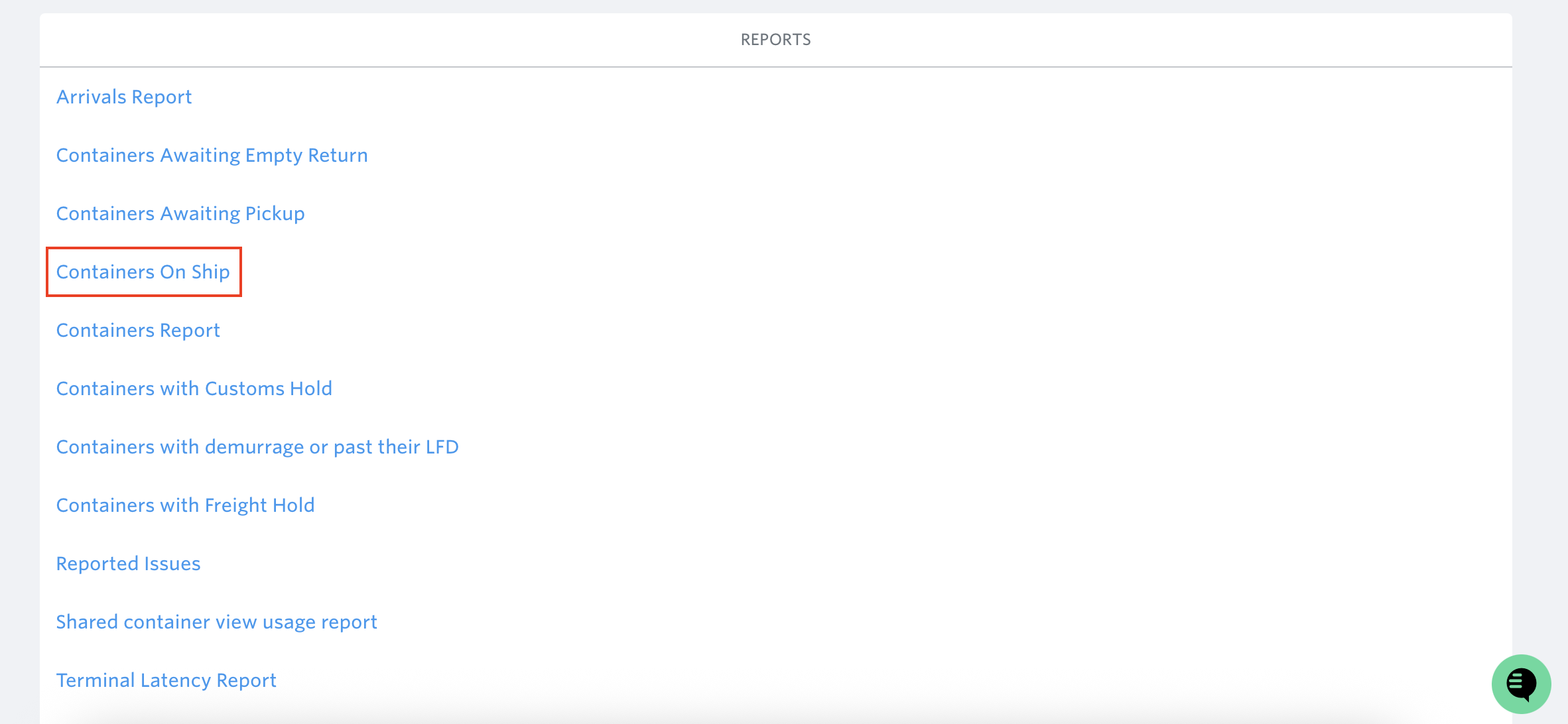
Navigate to the report you wish to download.
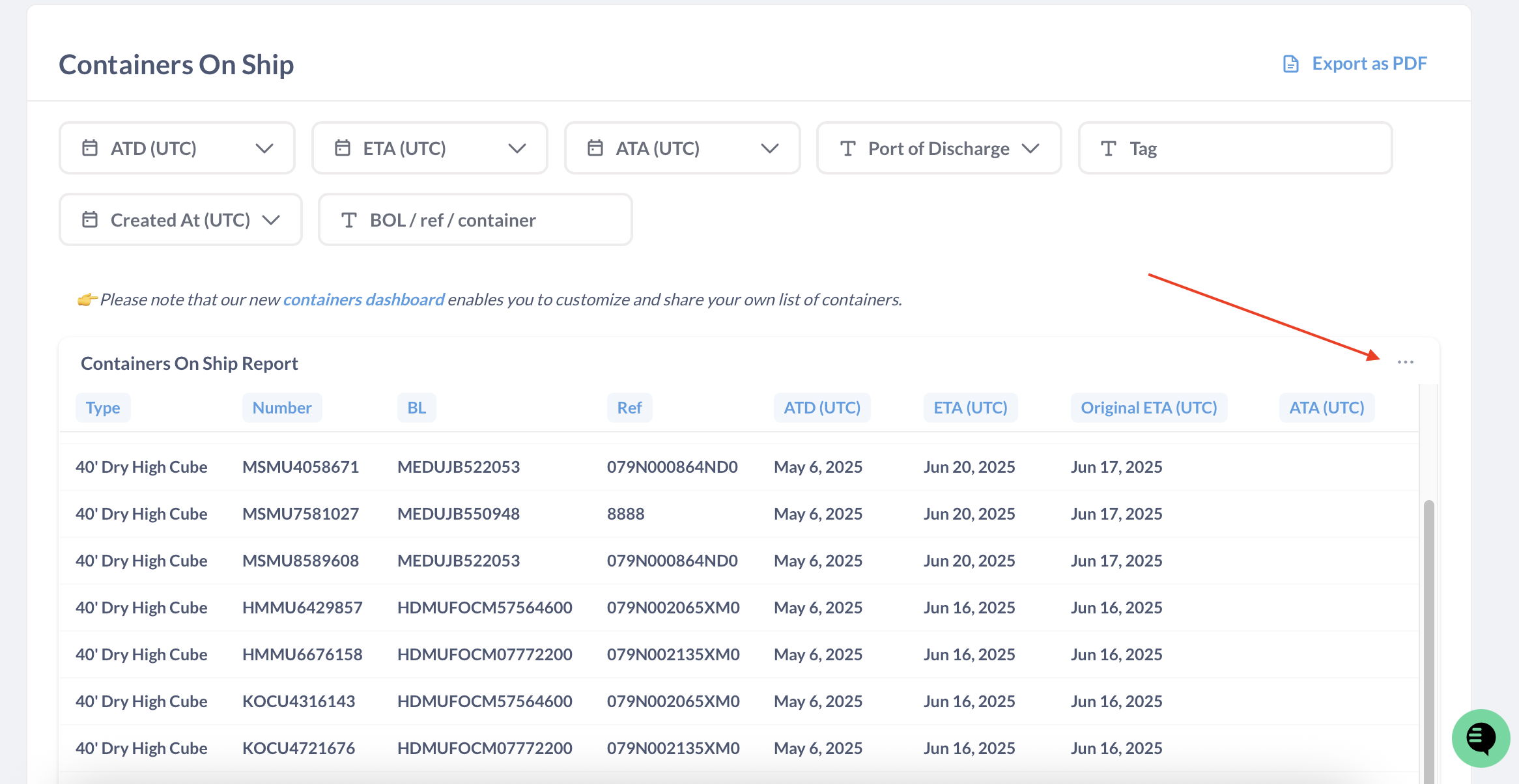
2. Move your cursor over the data you are interested in. When your cursor is over the data you will see 3 dots icon appear in the top right.
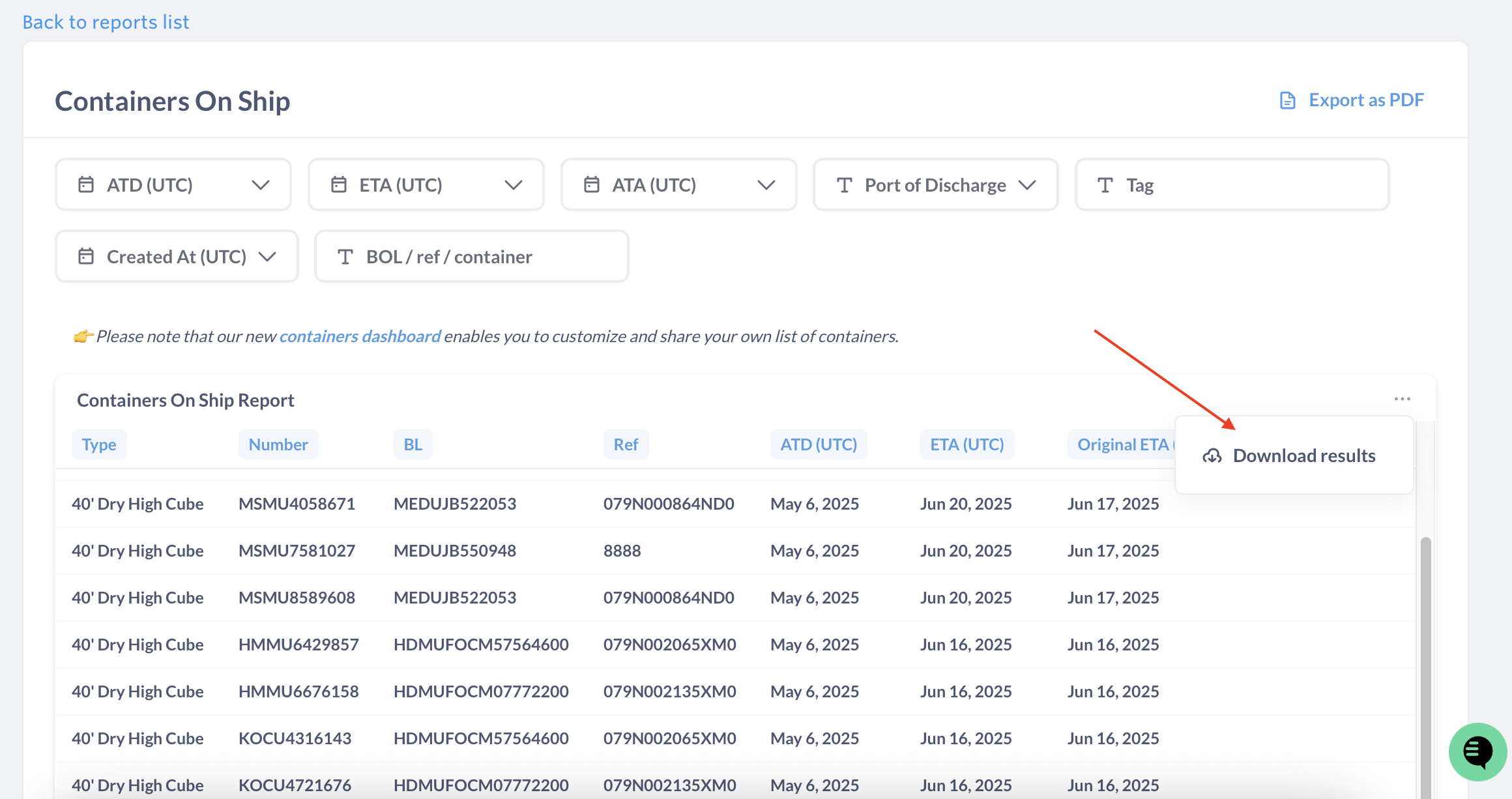
3. Clicking on this will bring up the options to download the data. Select the preferred format.
See related article: What is DataSync and how does it work?
If you need help with downloading reports or have any other questions, the fastest way to get assistance is through our in-app chat. You can also reach us at support@terminal49.com.