How To Stop The Tracking Of A Shipment
Last updated: October 1, 2026
Tracking a shipment is a valuable service that provides real-time updates on the status and location of your containers. However, there may be times when you no longer need to monitor a shipment, and it's essential to know how to stop tracking it.
Note: Terminal49 does not have a feature to delete shipments. If you no longer need to track a shipment, use the Stop Tracking button as described below. Free accounts cannot manually stop tracking shipments or individual containers; stop tracking is available on paid plans. The video below will show you how to do it:
How to Stop Tracking a Shipment
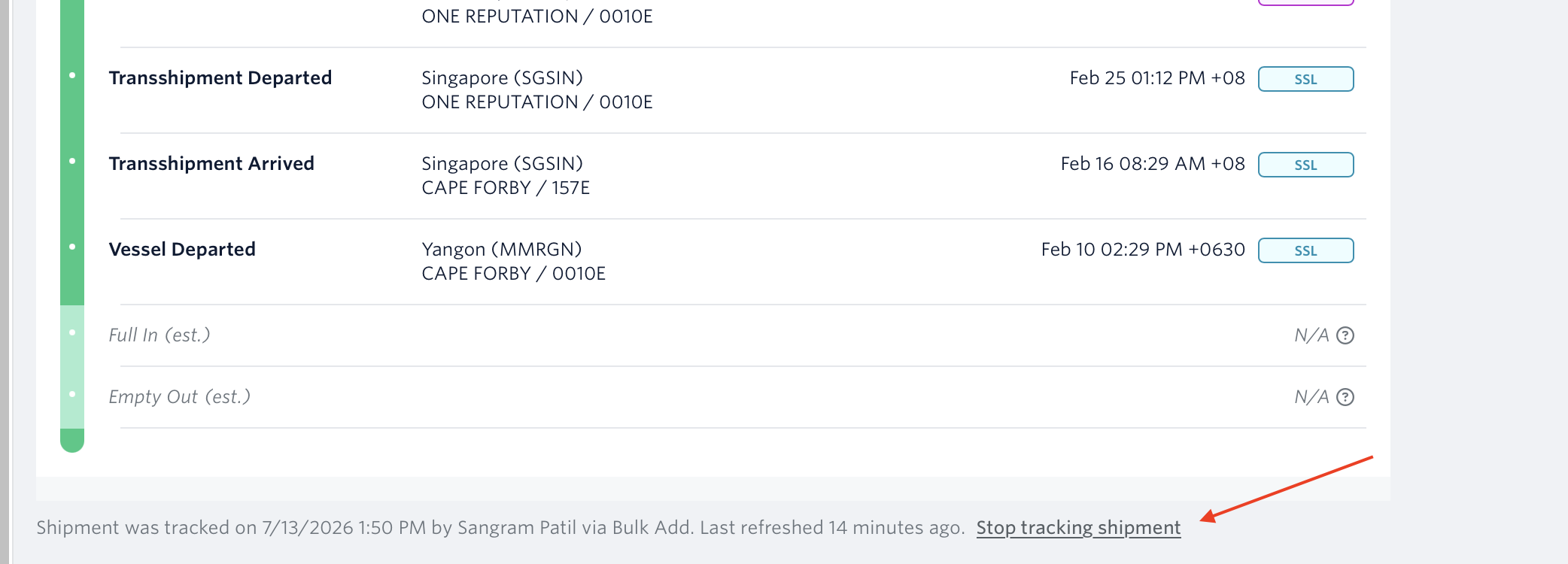
Go to the shipment's page and click the 'Stop The Tracking button' located below the container's milestones on the shipment's page.
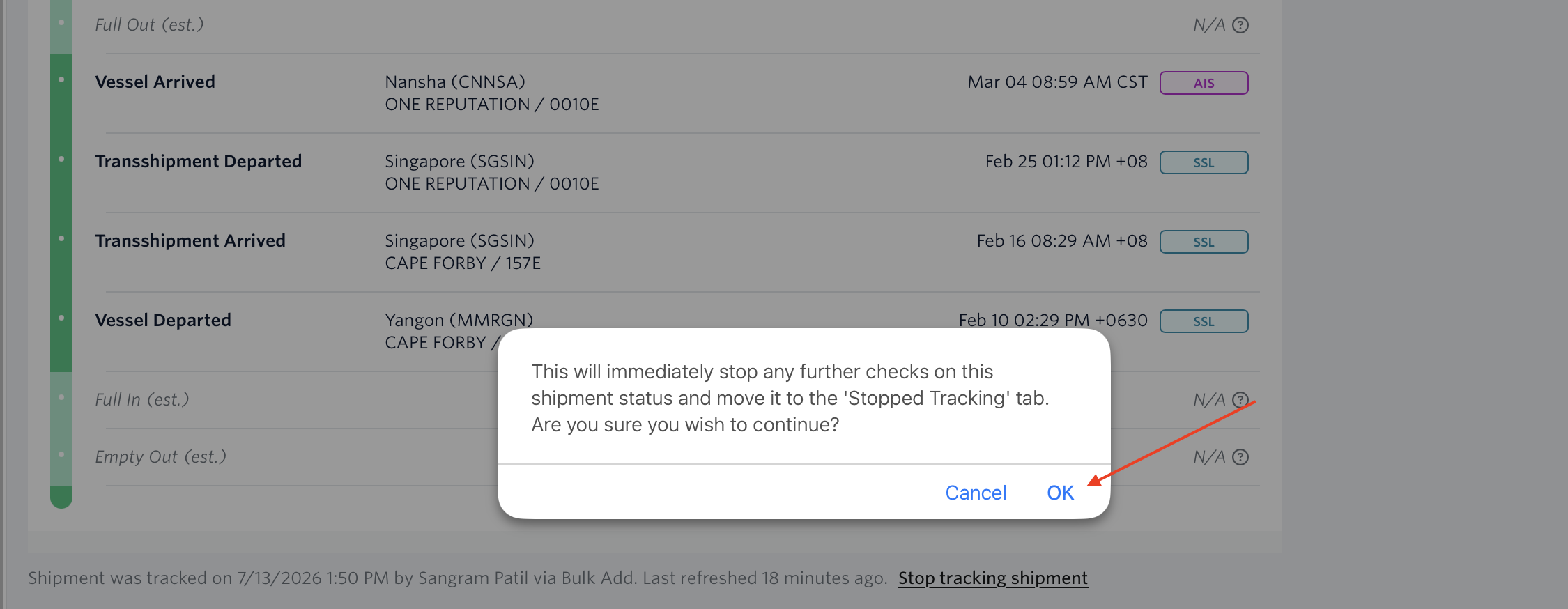
Click the 'OK' Prompt:
Done. The shipment page will now show who stopped the tracking and when the shipment's data was last refreshed.
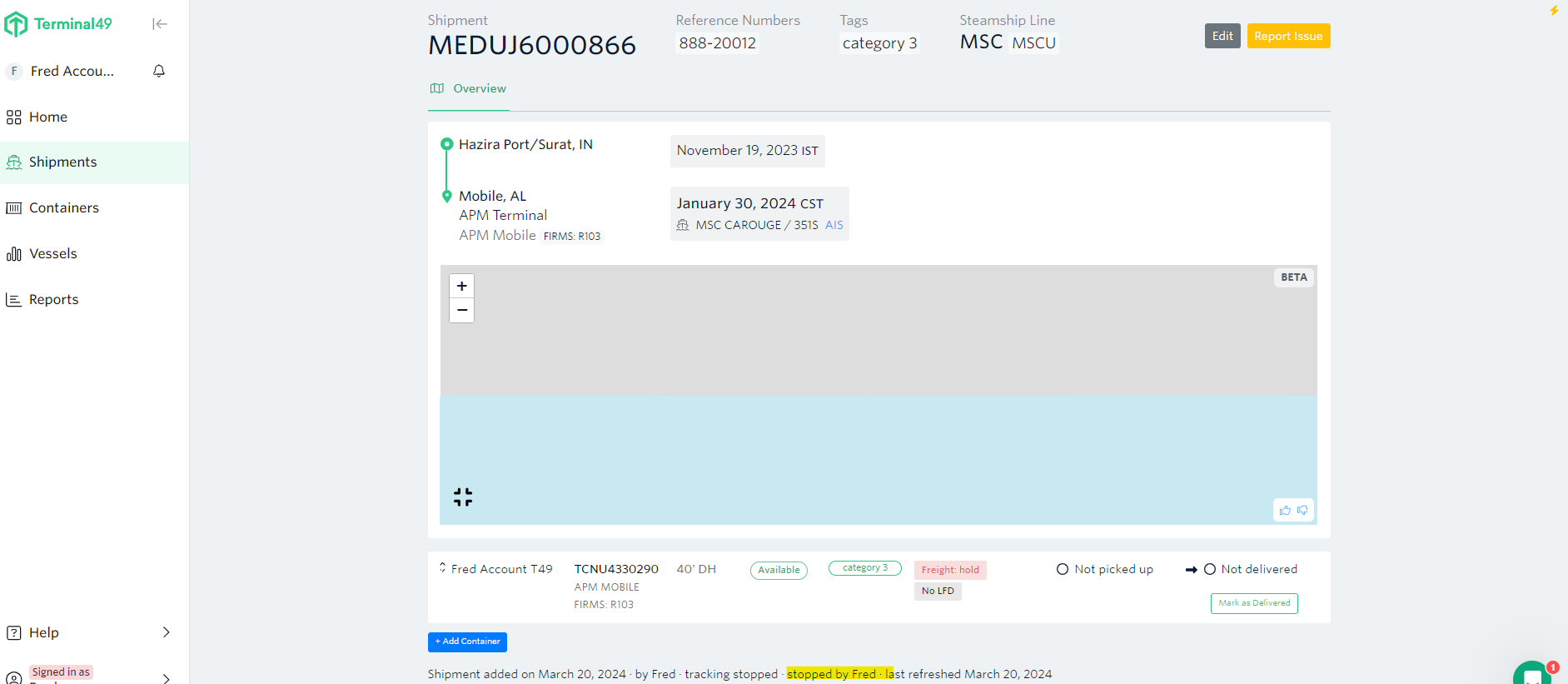
After stopping tracking, the shipment page will display who stopped the tracking and when the shipment's data was last refreshed. No further updates will be collected.
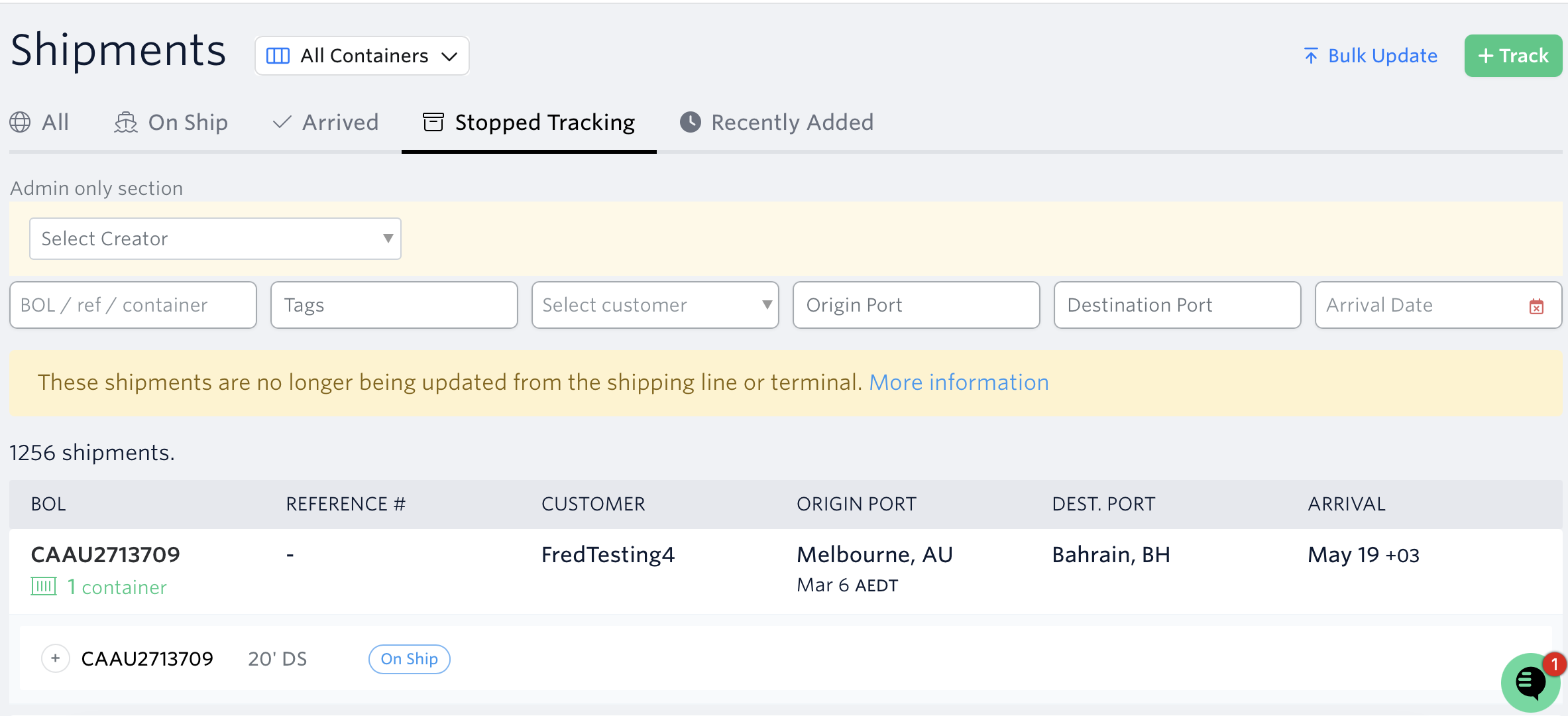
With the exception of 'All Containers Terminated' stop tracking reason, once we have stopped tracking your shipment it will no longer appear in the All, On Ship, or Arrived tabs but will show up in the Stopped Tracking tab.
See related article: When Do Shipments Stop Tracking?
If you have questions about stopping the tracking of your shipment or need assistance, the fastest way to get assistance is through our in-app chat. You can also reach us at support@terminal49.com.