Searching and Filtering Documents
Last updated: December 11, 2025
This article explains how to quickly locate the right documents by using the search bar, filtering by document type, and combining both for more precise results.
What the search finds
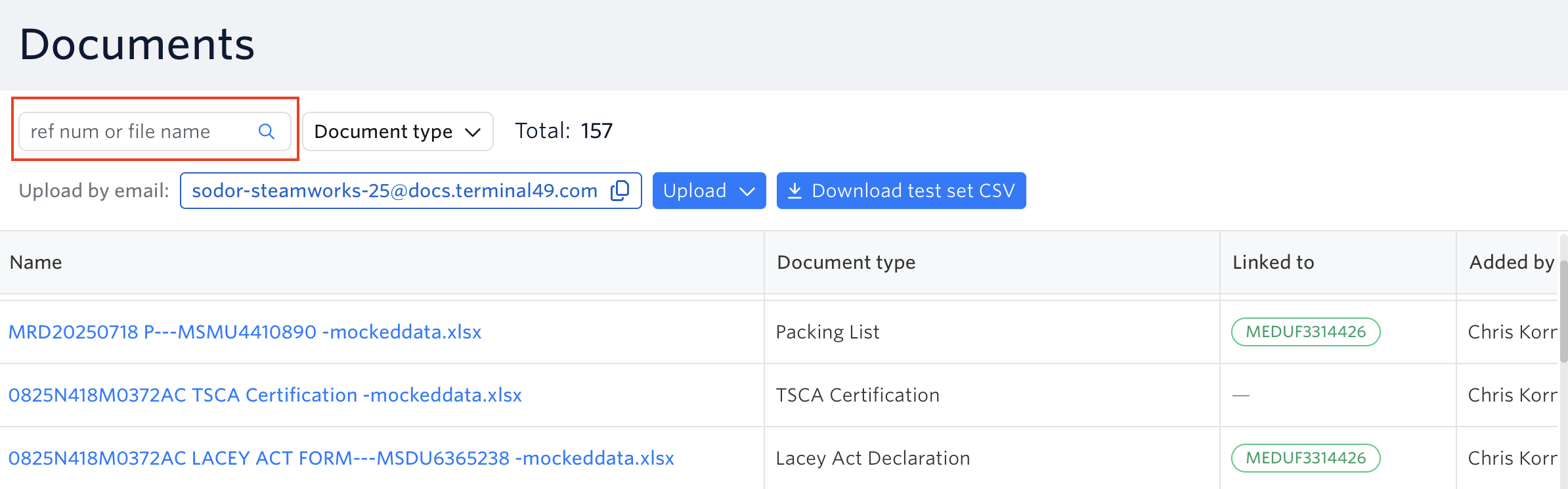
On the Documents page, the search bar looks at:
Reference numbers, including:
Bill of Lading (BOL) numbers
Booking numbers
Container numbers
Seal numbers
Invoice numbers
Purchase Order (PO) numbers
Voucher numbers
Export reference numbers
Packing list numbers
Shipping bill numbers
Any values stored in the shipment’s reference number field, once the document is linked
File names (full or partial)
How matching works
Search is case-insensitive.
We ignore special characters and spaces in reference numbers.
Example: PO-12345, po12345, and PO 12345 are all treated as the same value.
For file names, you can type any part of the name to find matches.
Filter by document type

Use the Document type dropdown to:
Show only certain types of documents (e.g. Arrival Notice, House BOL, Invoice)
Select one or multiple types at once
Combine search + filters
You can combine the search box and document type filter to narrow results. For example:
Search for PO12345
Filter to document types Invoice and Packing List
This will show just the Invoices and Packing Lists related to that PO.
See next article - How Terminal49 Processes Your Documents
If you need help in searching/filtering documents or have any other questions, the fastest way to get assistance is through our in-app chat. You can also reach us at support@terminal49.com.