Container View - IND (Inland Destination) Full Out
Last updated: November 28, 2024
This container view helps answer key questions such as:
Which of my containers have already been picked up from the inland destination?
When were my containers picked up from inland destination?
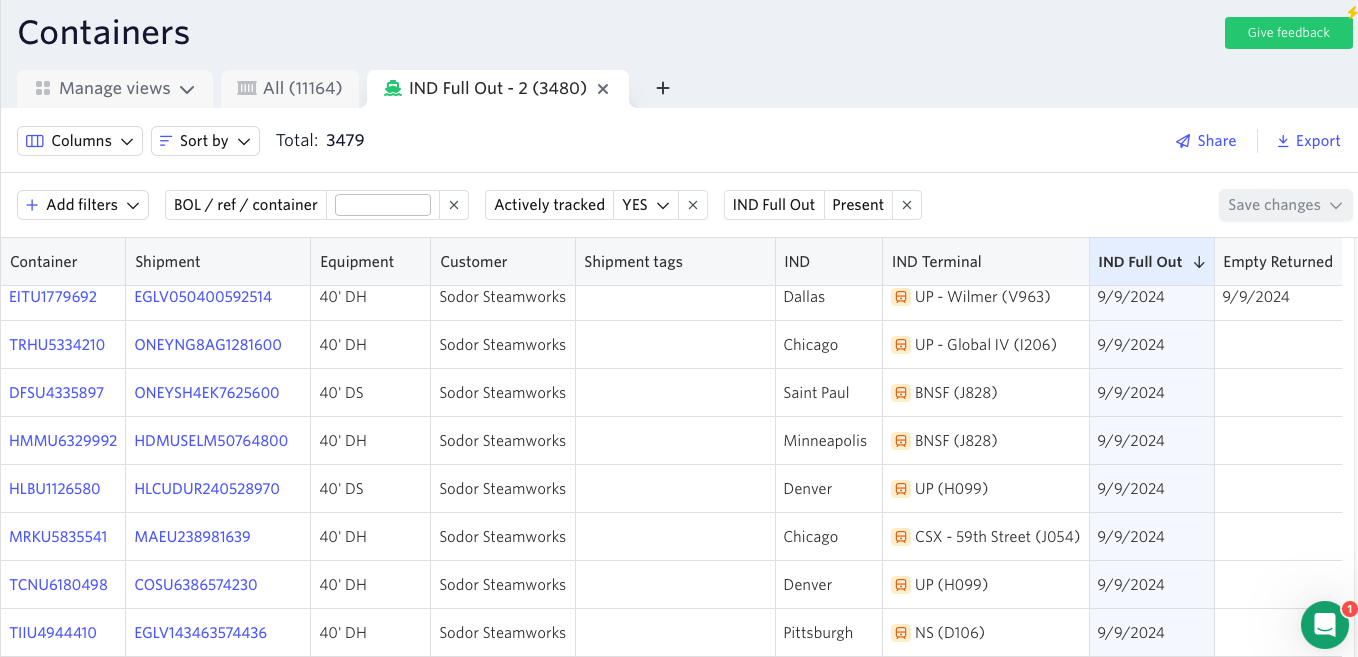
Important information, such as inland destination days since full out and empty return are updated automatically, so you always have the most up-to-date information without having to refresh and recheck.
View is sorted by the following columns:
Empty Returned
IND (Inland destination ETA) Full Out
Note: You can always choose which of the two columns you want the view to be sorted by, or select both. You need to click on the sorting column(s) to select and click again to deselect. The arrow down symbol indicates which column is being used.
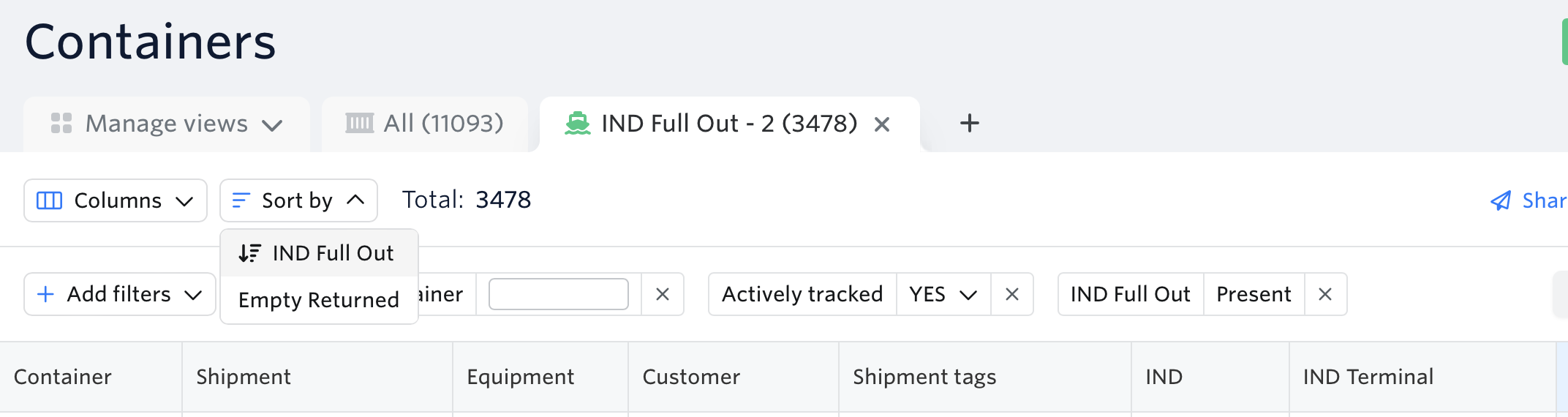
Default Filters:
Actively Tracked - Yes
IND (inland destination) Full Out - Present
Note: You can always customise the filters & columns according to your workflow.
To access the IND Full Out Container View:
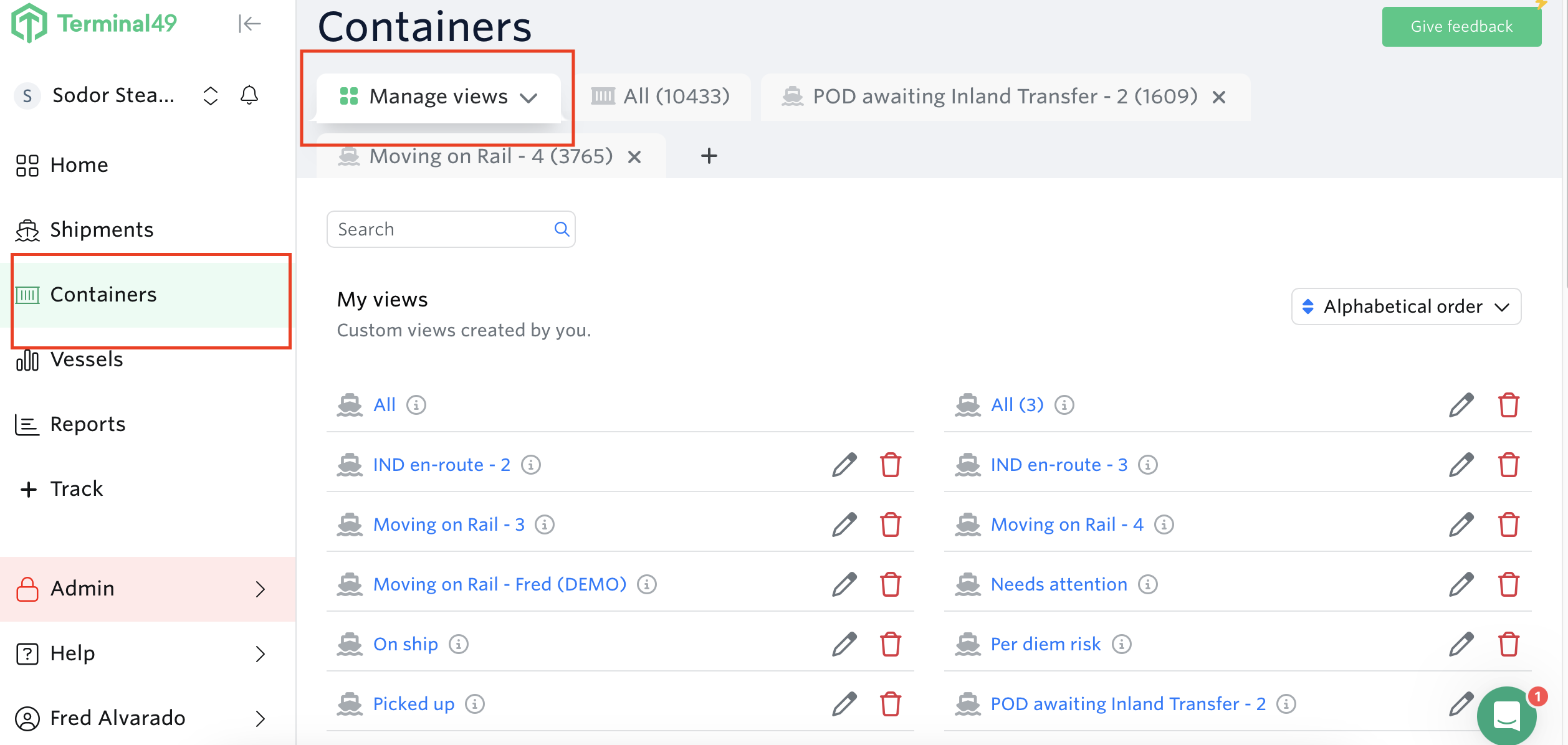
Go to containers view > Manage Views
Scroll down to Intermodal Rail Section > Hit the add button for POD awaiting Inland Transfer View
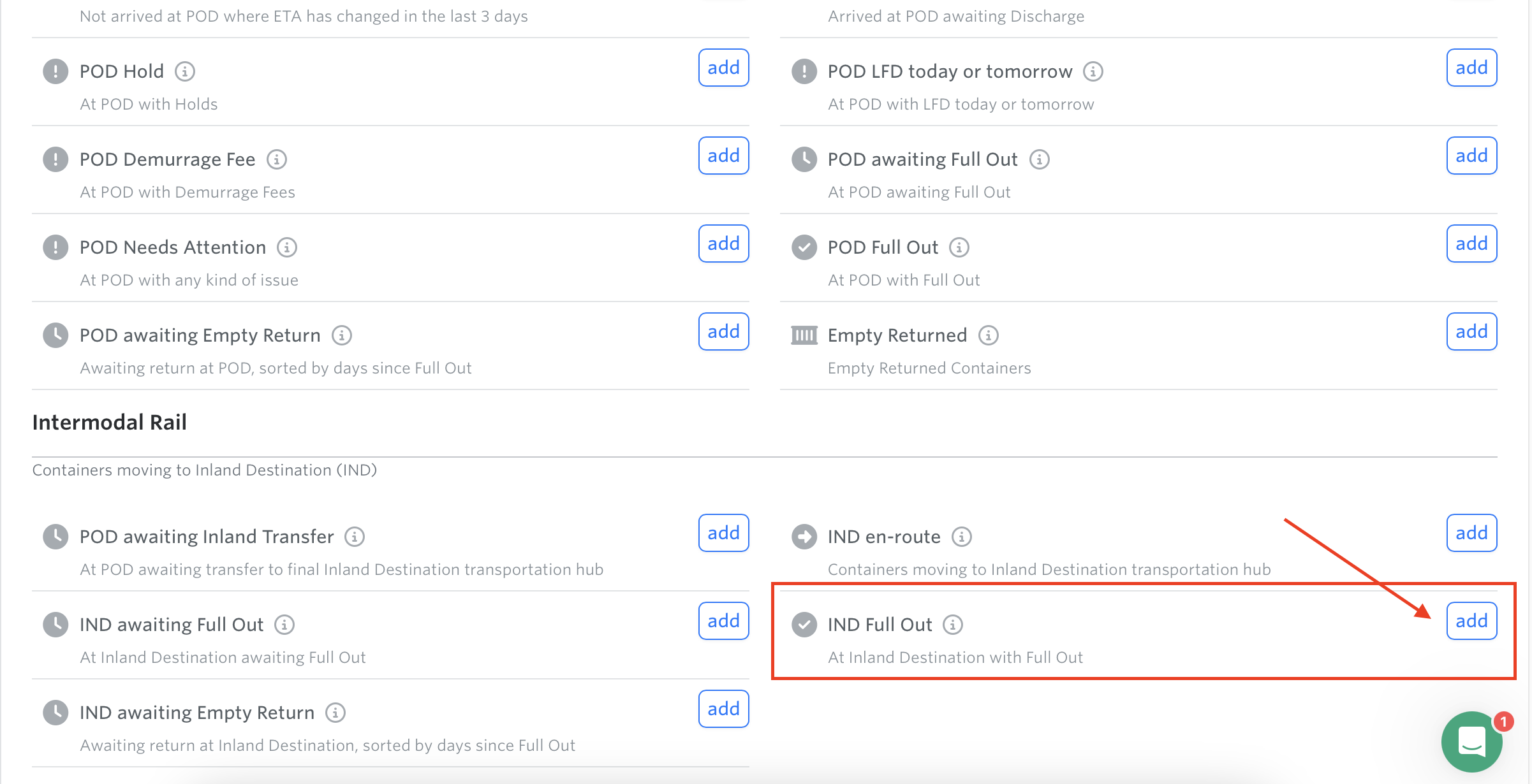
Note: To enable Intermodal Rail on your account, please contact sales@terminal49.com
See next article: Container View - IND (Inland Destination) Awaiting Empty Return