Container View - POD ETA In Next 3 Days
Last updated: May 22, 2025
This container view helps answer key questions such as:
Which of my containers are arriving soon at the port of discharge?
What are the ETAs of my containers
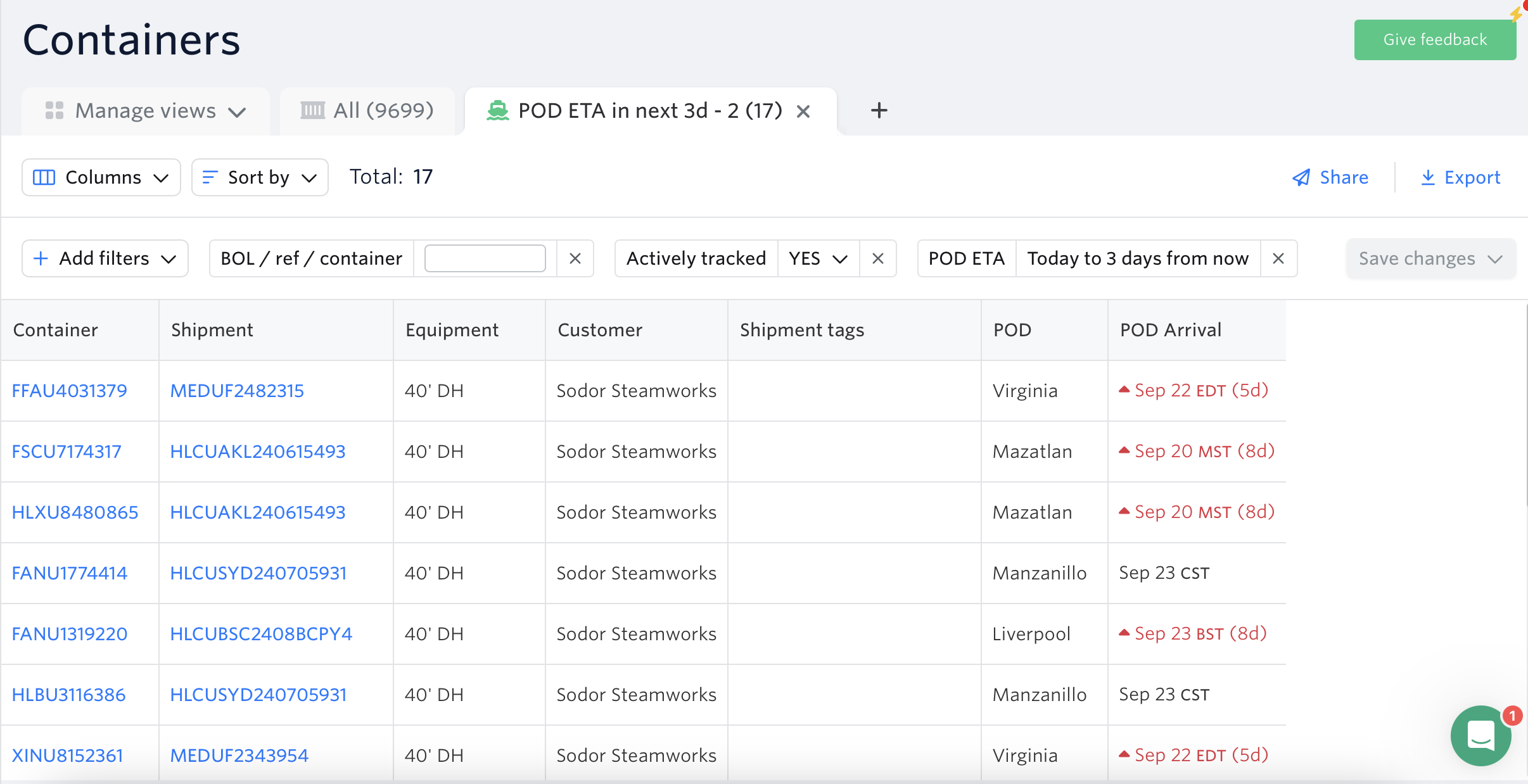
Important information, such as POD arrival, is updated automatically, so you always have the most up-to-date information without having to refresh and recheck.
This view is sorted by POD Arrival column so you can easily see which containers will be arriving soon in the port of discharge.
Default Filters:
Actively Tracked - Yes
POD ETA - Today to 3 days from now
Note: You can always customise the filters & columns according to your workflow.
To access the POD ETA in next 3d View:
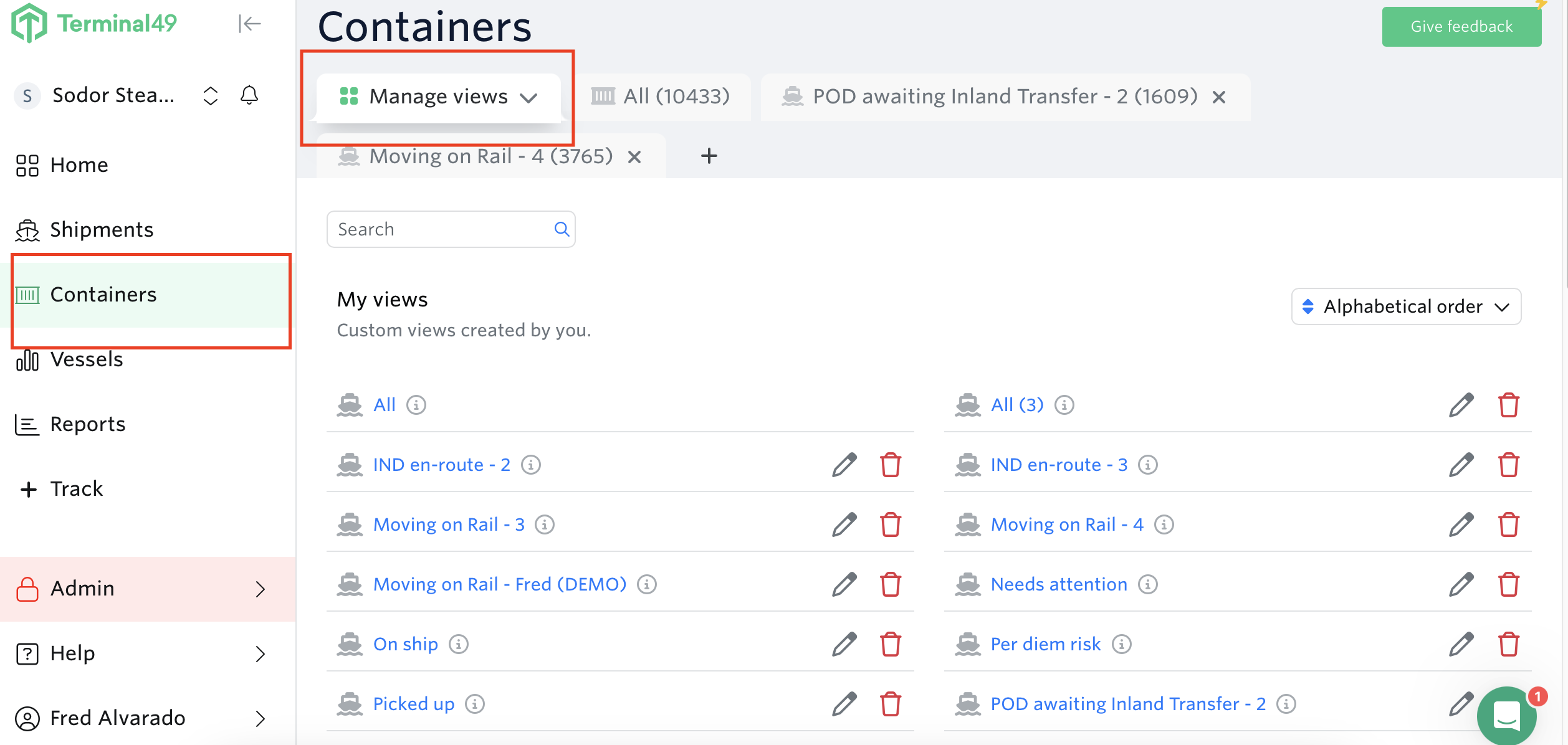
Go to containers view > Manage Views
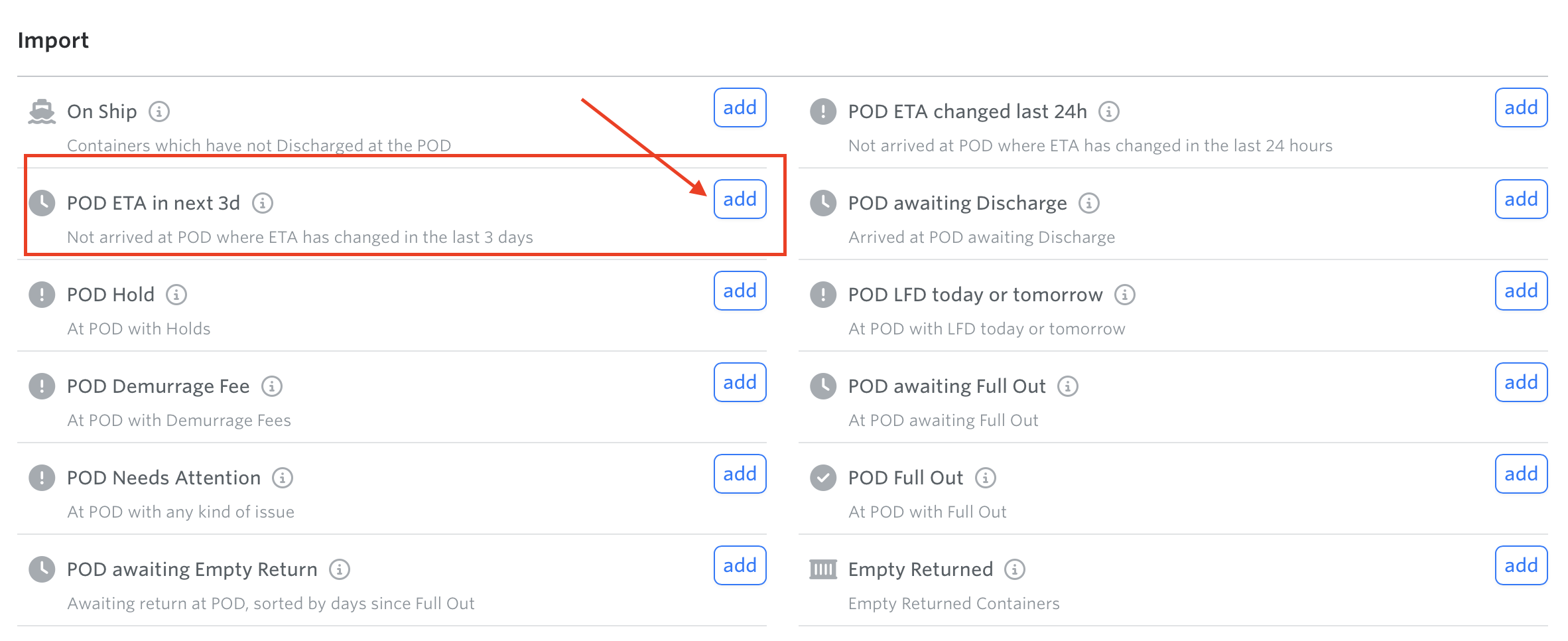
Scroll down to Import Section > Hit the add button for POD ETA in next 3d
See next article: Container View - POD Awaiting Discharge
If you need help with your container views or have any other questions, the fastest way to get assistance is through our in-app chat. You can also reach us at support@terminal49.com.