Navigating Home Page
Last updated: May 16, 2025
The Home page provides a summary of your containers and what you need to take action on.
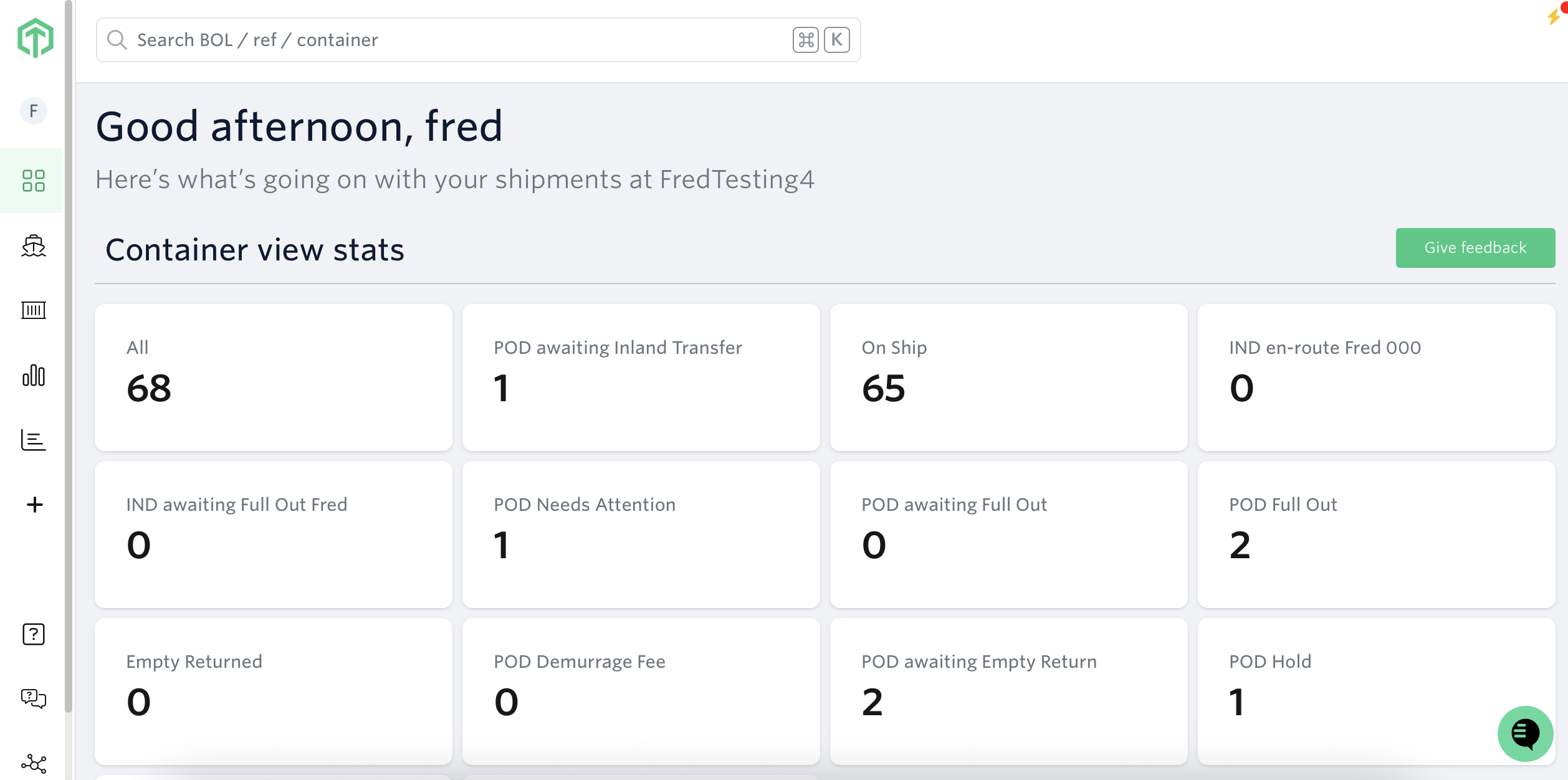
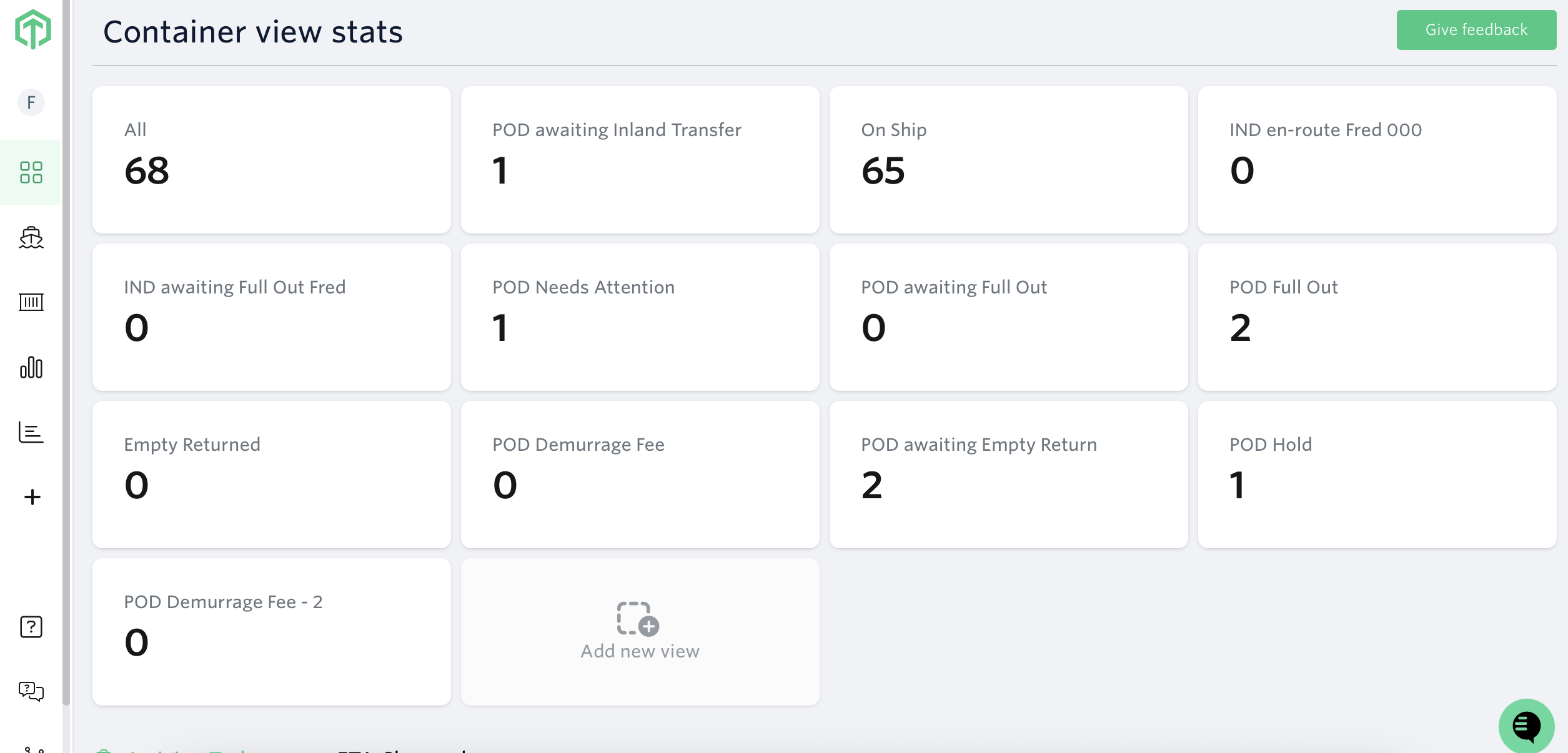
Container View Stats
- A summary of each custom view you have created in the Containers Dashboard. You can create custom views to track shipments by customer, tag or milestones.
Real-Time Container Updates
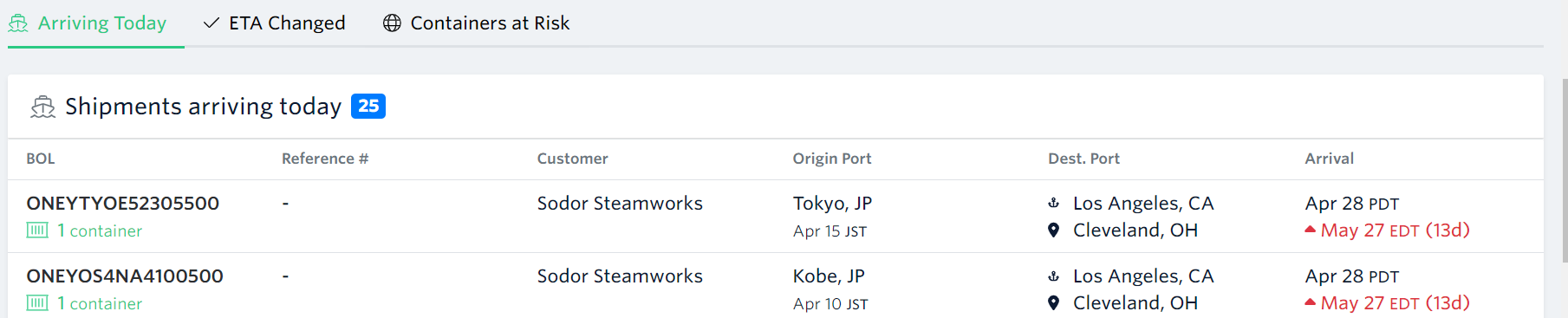
Arriving Today
- All of your shipments that are scheduled to arrive on the current day. This allows you to plan your operational activities for the arriving shipments.
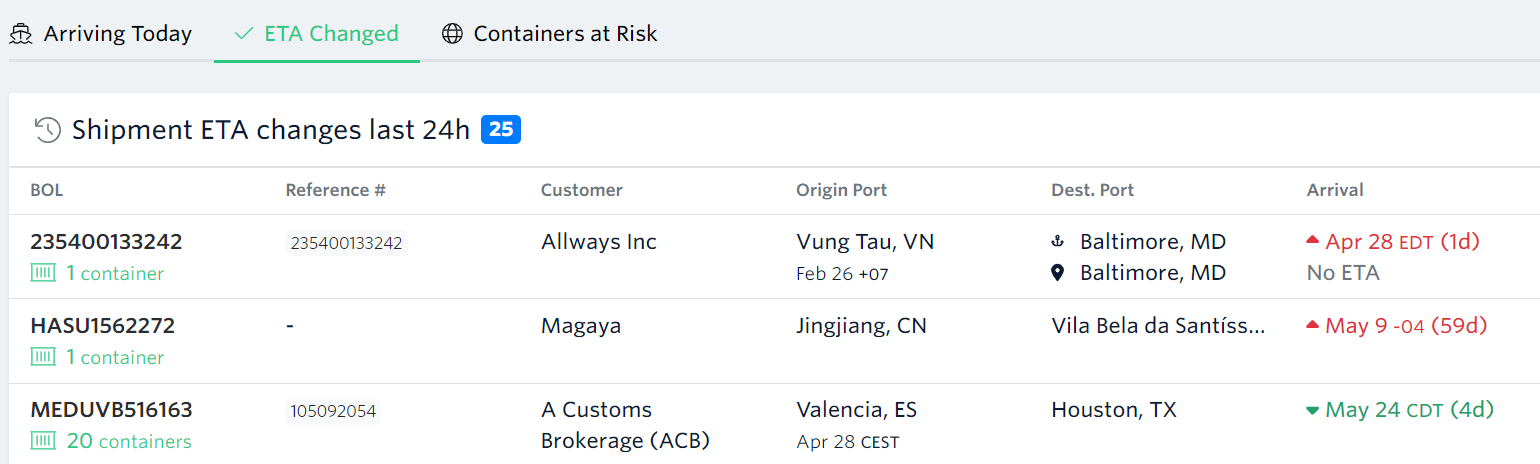
ETA Changed
- All of your shipments that are reporting a change in ETA over the last 24 hours.This allows you to be aware of any potential delays or advancements in the delivery schedule, so you can plan accordingly.
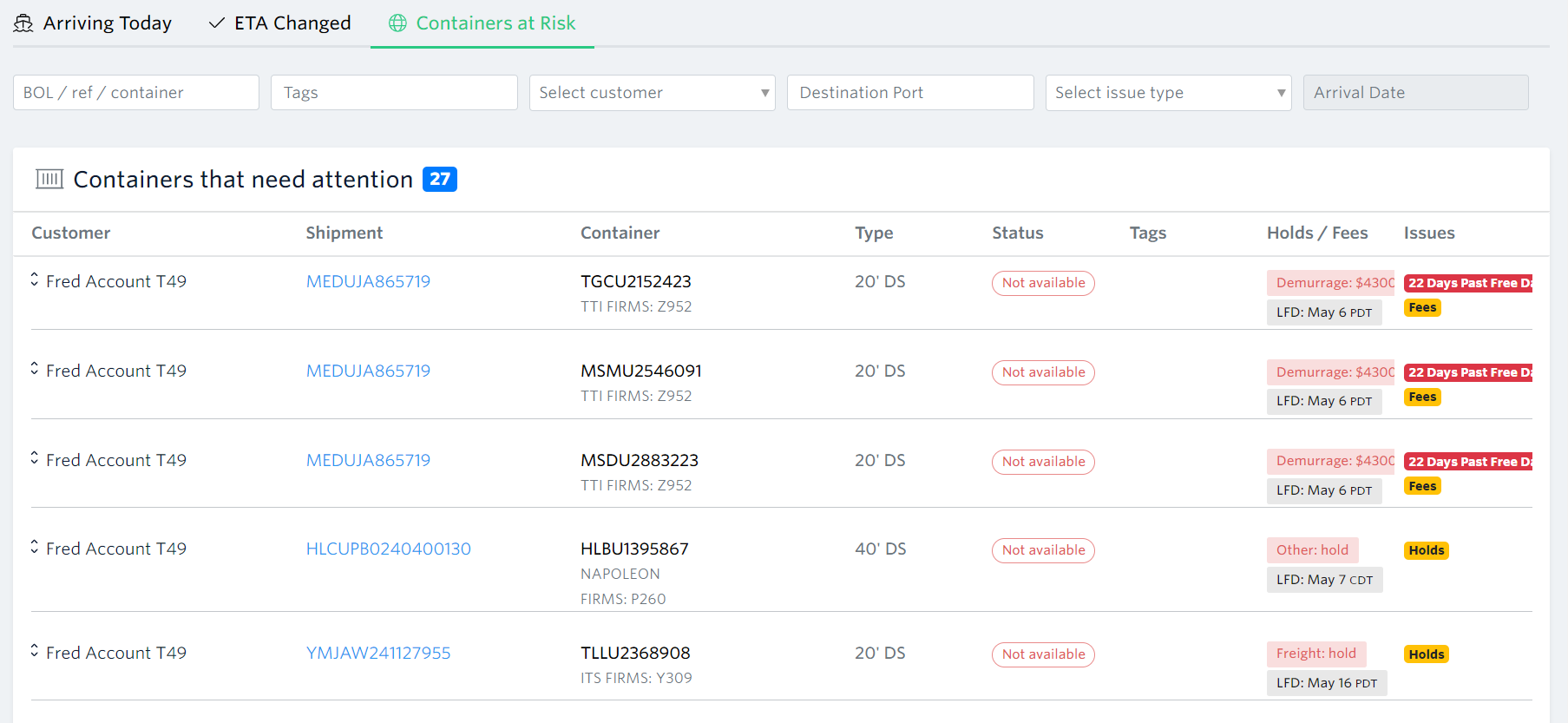
Containers at Risk
- All of your shipments that are at risk of not getting picked up before Last Free Day (LFD) and having demurrage. This list is updated in real-time and can be used to prevent demurrage or per diem, or to investigate container delays.
-This list eliminates the need for time consuming manual refreshes/rechecks, and ensures that you can proactively manage any containers approaching their LFDs and take necessary actions to avoid fees or delays.
See next article: What Data Sources Are Available On My Account
If you need help with navigating home page or have any other questions, the fastest way to get assistance is through our in-app chat. You can also reach us at support@terminal49.com.