Holds and Fees Types & their Definitions
Last updated: October 20, 2026
Below is the list of holds and fees categories in Terminal49 and their definitions:
Holds
A hold means a container can't move yet, whether that's a customs exam, an unpaid fee, or paperwork that hasn't cleared. Knowing you have a hold isn't enough on its own, you need to know which one it is, whether it's actually stopping pickup right now, and who reported it.
Important: Hold statuses displayed in Terminal49 come directly from terminals and may not always indicate actual holds. In many cases, terminals don't differentiate between a specific hold and pending clearance processes. What appears as a hold may simply indicate that a process, such as customs clearance or freight release, is still pending rather than an active hold being placed.
Where holds show up
On the shipment page, current holds show next to the container's status, and historical holds are available under the 'Container History' tab.
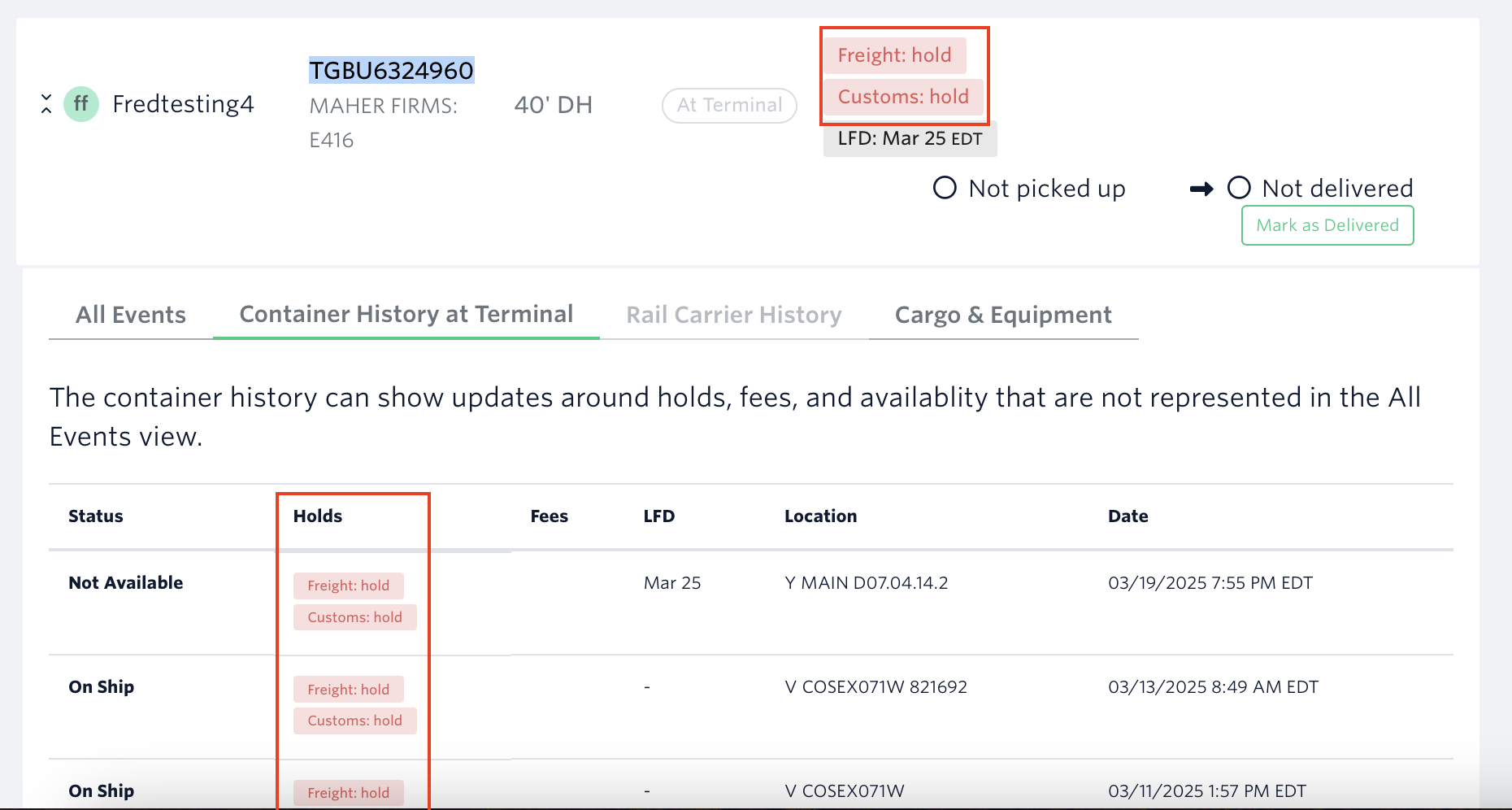
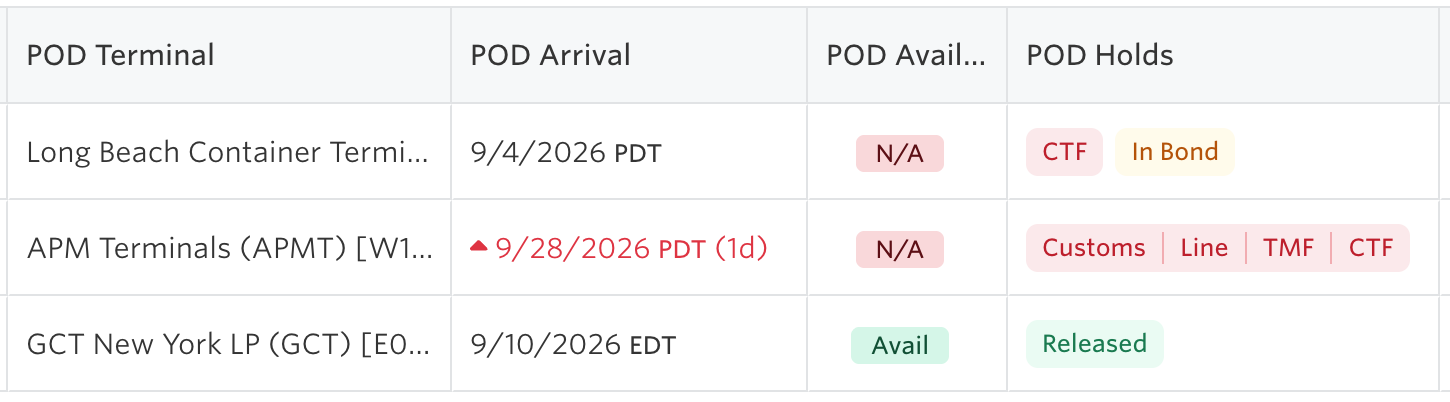
In the Container Dashboard, the POD Holds column names every hold and shows whether it's actually blocking pickup.
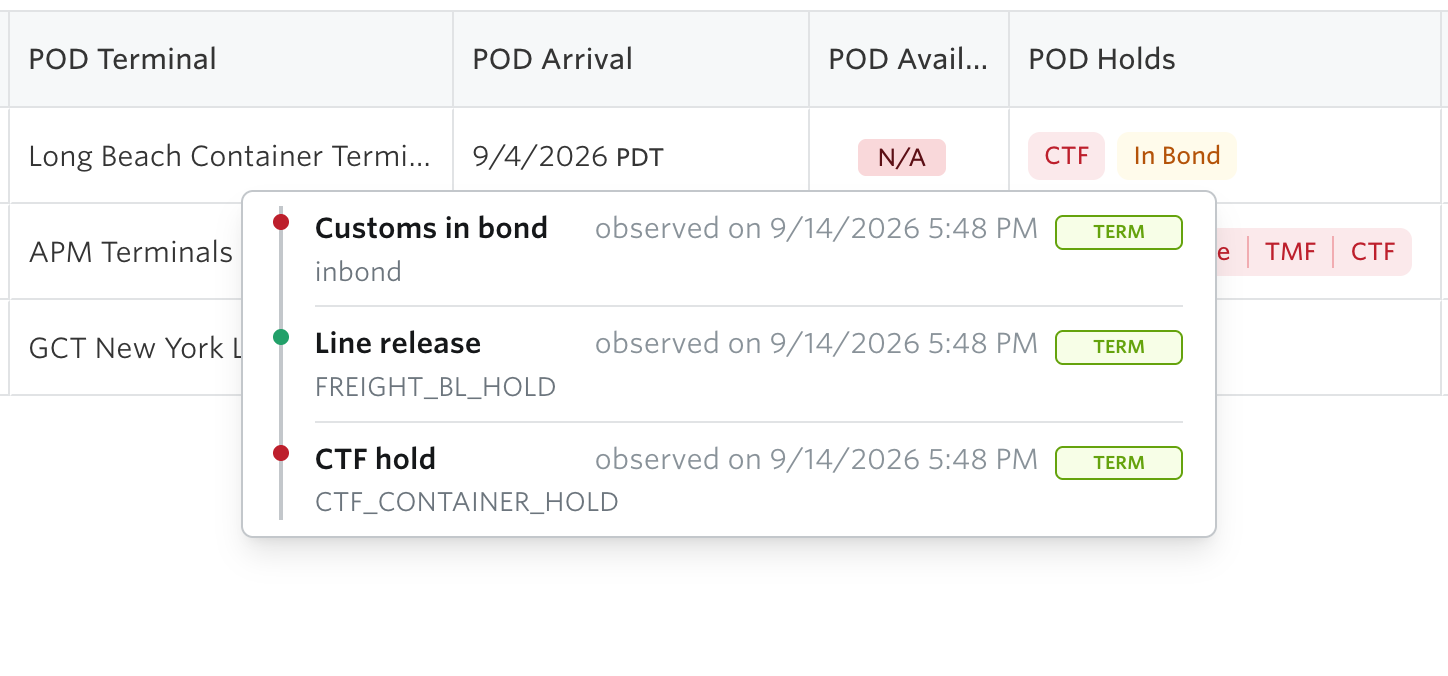
Hover any hold in the POD Holds column to see the timeline behind it: every source that reported it, when, and in their own words.
What each hold means
Customs - U.S. Customs may flag containers for further inspection. In this case, a container will be held and examined at the Terminal or moved to a third-party customs exam site. However, this status often indicates that customs has not yet been cleared rather than an explicit hold being applied. Recommended action: Check with your customs broker to confirm clearance status, the delay, and next steps.
Line - a hold placed by the shipping line (for example, an equipment hold or "no entry by line"), most often for an unpaid fee or an open documentation issue.
Freight - refers to a pause placed on a shipment for various reasons and by several possible parties. In many circumstances, the hold is instituted due to unpaid fees, but in some, it may relate to a customs inspection or document issue. Note that this status may indicate that the freight release process is still pending rather than an active hold being placed.
USDA - We show the hold so our customers can alert their customs broker. The Terminal needs to give us more detail before we can show more than that a hold exists.
TMF - a Traffic Mitigation Fee hold, from the Port of Los Angeles or Long Beach, charged to pick up cargo during peak hours. Resolve it through PierPass or by contacting the terminal directly.
CTF - a Clean Truck Fee hold, also from the Port of Los Angeles or Long Beach.
Terminal - a hold the facility reported that doesn't map to one of the categories above (for example, a container flagged to be stripped).
In Bond and Permit to Transfer aren't holds themselves, they're a status on a Customs
hold: the container isn't cleared at this port, but it's authorized to move. This shows
in amber rather than red, and only when every hold on the container permits bonded
movement, a real exam or open document alongside it keeps the whole thing red.
One rule worth knowing: if a source hasn't told us anything about a hold, that isn't the
same as a release. Only an explicit release from a source clears the container in that
source's eyes.
A status of 'Pending' means the terminal has flagged a hold as expected but not yet active. Treat it as a warning that a hold is likely incoming. When the hold becomes active, the status changes to 'hold'.

Fees
Fees are visible on the shipment’s page next to the container’s status, and also available under the “Container History” tab.
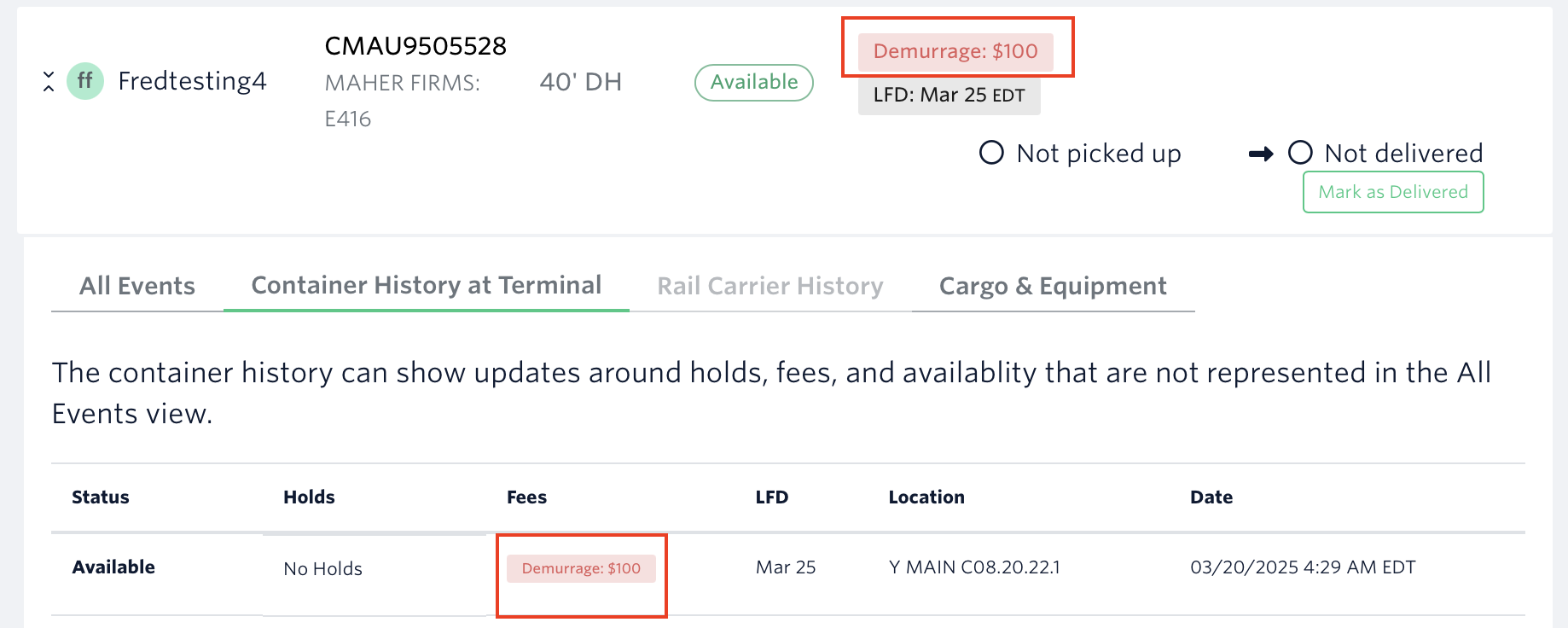
Demurrage - charged by the Terminal and accrues each day the container remains at the Terminal beyond the Last Free Day (LFD). The Terminal typically gives 4 to 5 free business days (2 days for refrigerated containers and reefers) of storage at their yard.
Extended Dwell Time - the extended time it takes at the port to secure the vessel or discharge the cargo.
Exam Fees - a fee that is tacked onto a shipment by U.S. Customs and Border Protection (CBP) when they pull your container for inspection.
Other - type of fee that the Terminal does delineate, but we don’t have a category for a specific fee.
Total - type of fee that the Terminal does not delineate what fees are for.
You may refer to our data matrix to see which data sources provide holds and fees data.
See next article: Tracking Freshness Trust Indicator and Manual Refresh
If you need help with holds/fees data issues or have other questions, please file a ticket using the 'Report Issue' button or message us through the in-app chat. You can also reach us at support@terminal49.com.