Using Parties to Manage Who's Involved in Your Shipments
Last updated: August 1, 2026
What is a Party?
A Party is any company or person involved in your supply chain — a shipper, consignee, customs broker, drayage carrier, freight forwarder, or notify party.
A shipment often involves multiple organizations, each responsible for a different part of the process. Rather than tracking those relationships in spreadsheets, tags, or custom fields, Parties give each company a dedicated place in Terminal49.
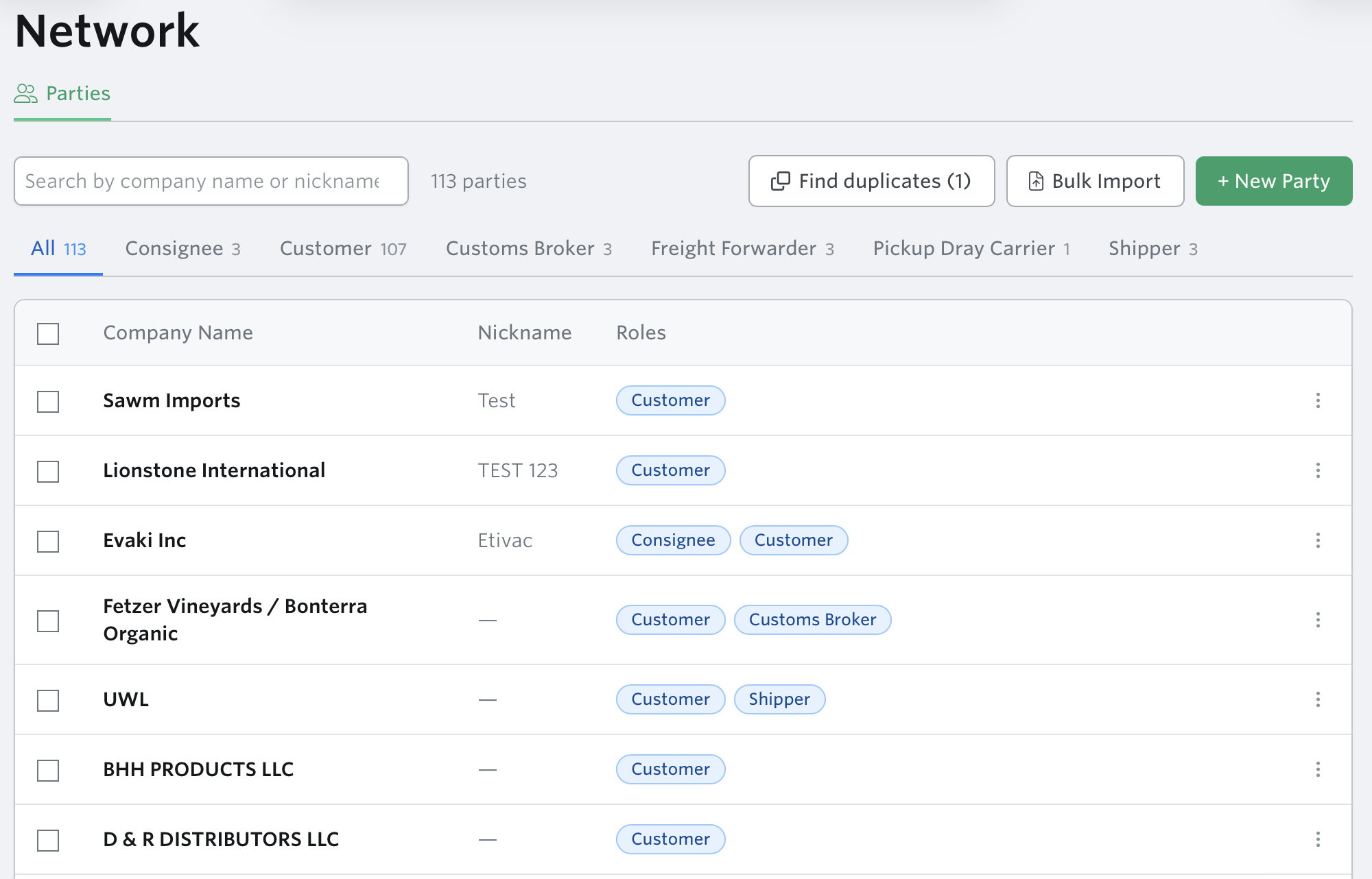
Terminal49 lets you build a reusable Network (your directory of parties) and assign parties to shipments and containers in specific roles. Once a party is created, you can reuse it across your whole account without re-entering it. Each party can have one or more contacts (name, email, phone, and optional title). You can mark one contact as primary.
Why use Parties?
Parties help you organize shipments by the companies involved while reducing manual work across your workflows.
Save time on data entry — Create a broker, carrier, customer, or forwarder once and reuse it across every shipment and container.
Keep shipments organized by company — Easily identify which shipments belong to a customer or which containers are assigned to a specific carrier.
Reduce manual assignment — When a tracking request includes a customer party, that customer is automatically assigned to the resulting shipment, along with reference numbers and tags.
Support multi-customer operations — Logistics providers, freight forwarders, and brokers can manage shipments for multiple customers while keeping each customer's data clearly separated.
Improve operational visibility — Everyone can quickly see who is responsible for customs clearance, drayage, forwarding, or receiving without searching through documents.
Filter and report by party — Filter dashboards by customer, customs broker, freight forwarder, or dray carrier to quickly answer operational questions.
Which shipments belong to this customer?
Which containers is this dray carrier picking up?
What is our customs broker handling?
Which freight forwarder is managing this shipment?
Supported Roles
Role | Applies to |
|---|---|
Shipper | Shipment |
Consignee | Shipment |
Notify Party | Shipment |
Customs Broker | Shipment |
Freight Forwarder | Shipment |
Customer | Shipment |
Dray Carrier | Container (per container) |
Where to find parties
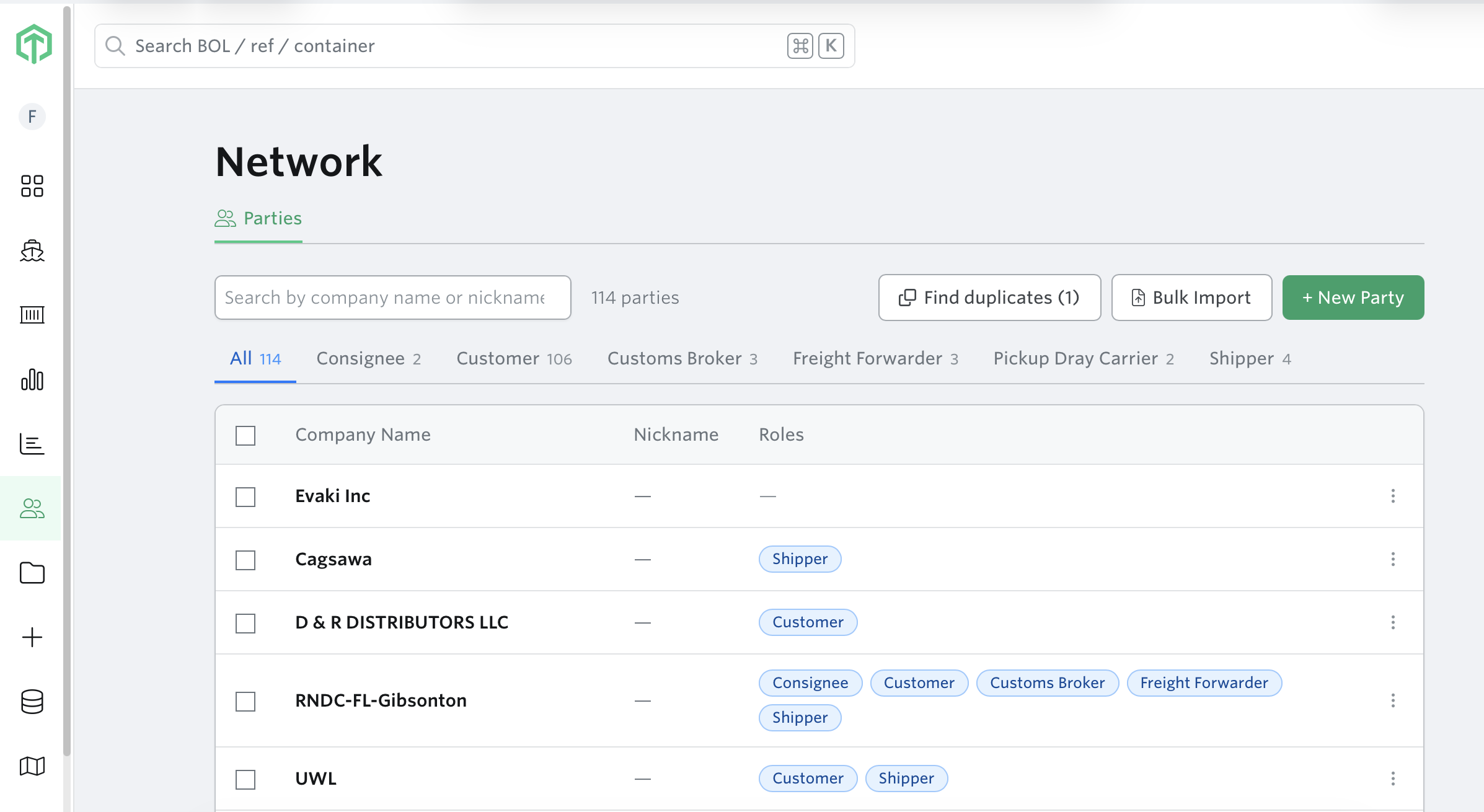
Network tab (left navigation bar) — your full directory of all parties
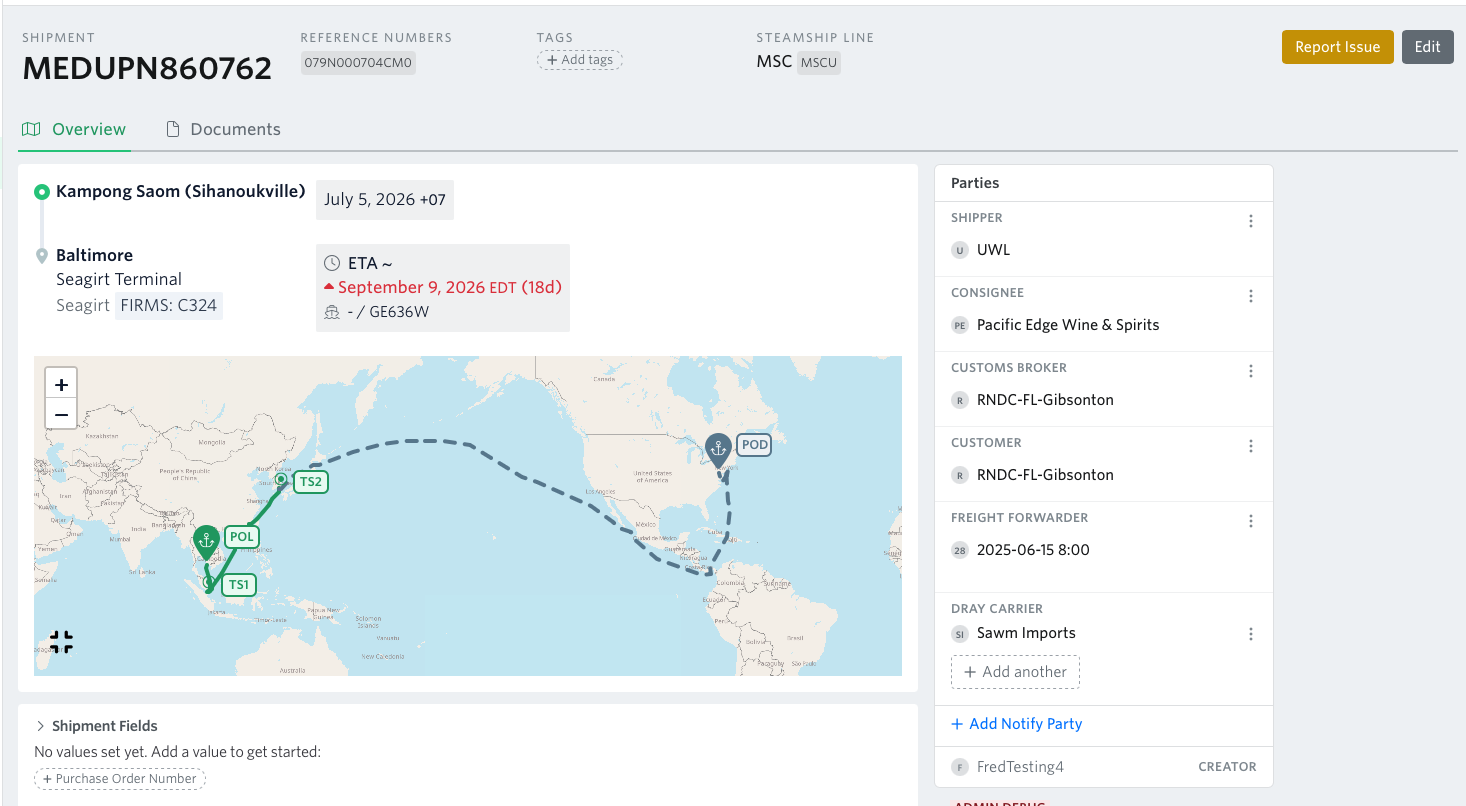
Shipment detail page — Parties panel in the right sidebar, showing all roles assigned to that shipment
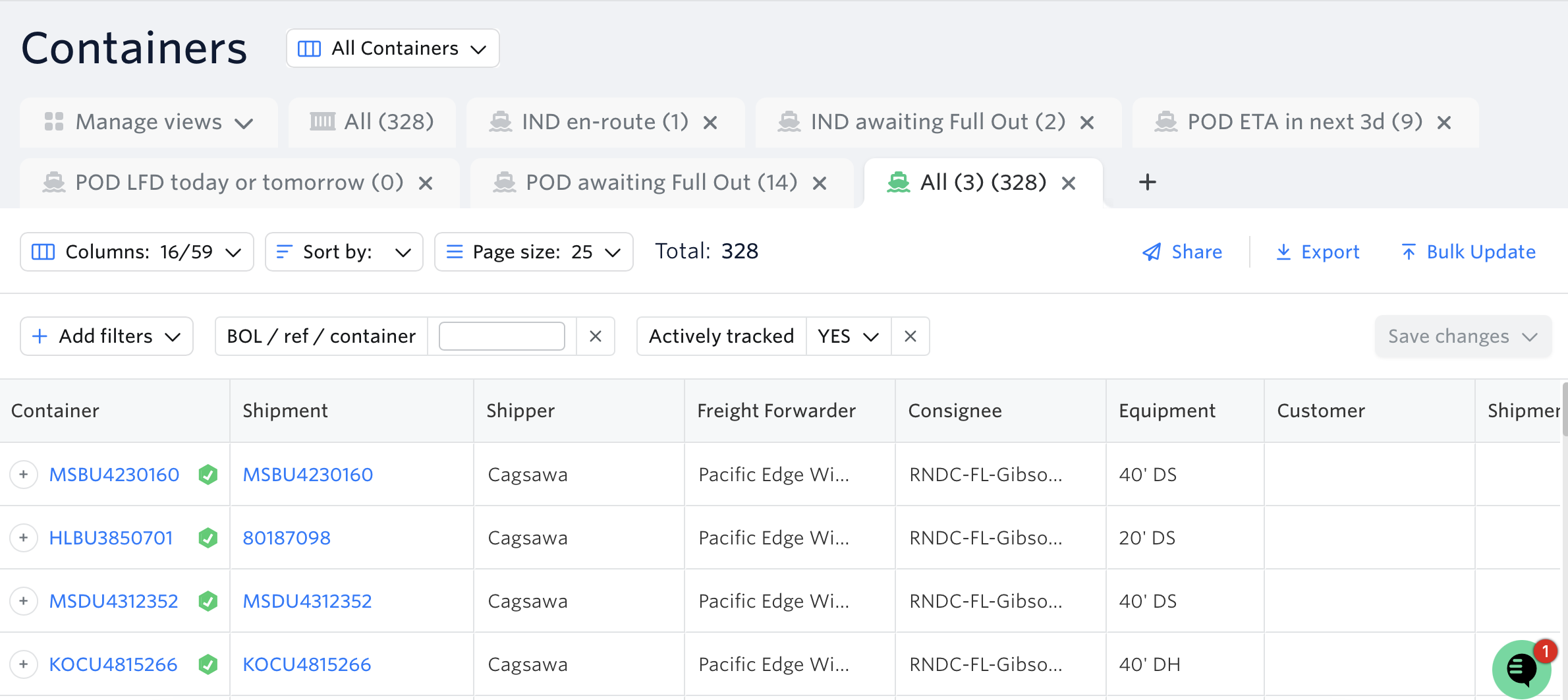
Container Dashboard — Parties visible as configurable columns and filters
Shipment Dashboard — Parties visible as a configurable column and filter
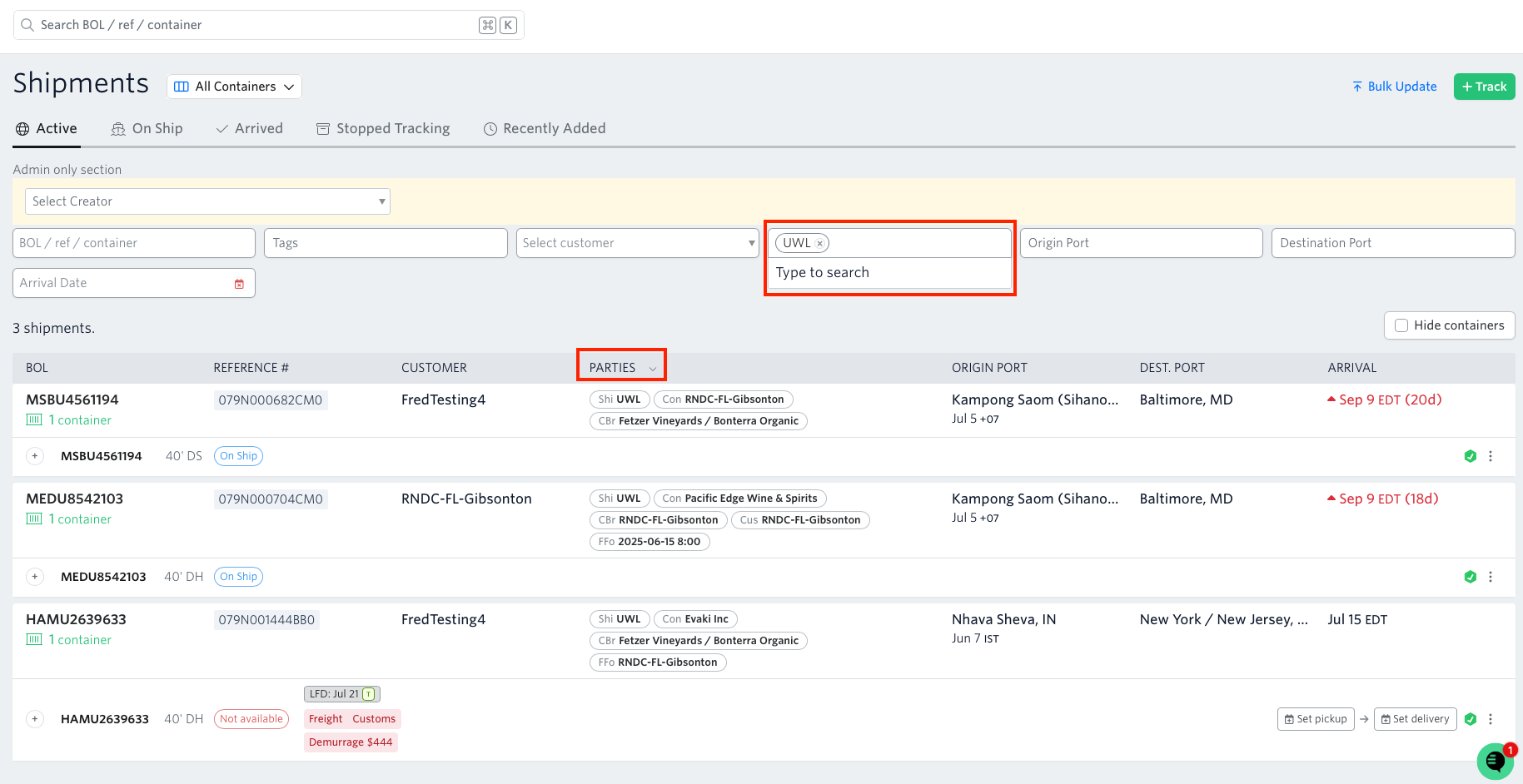
Track page — bulk assign parties across multiple shipments

Editing existing parties' names and nicknames
From the network tab, find the company name or nickname that you need to edit.
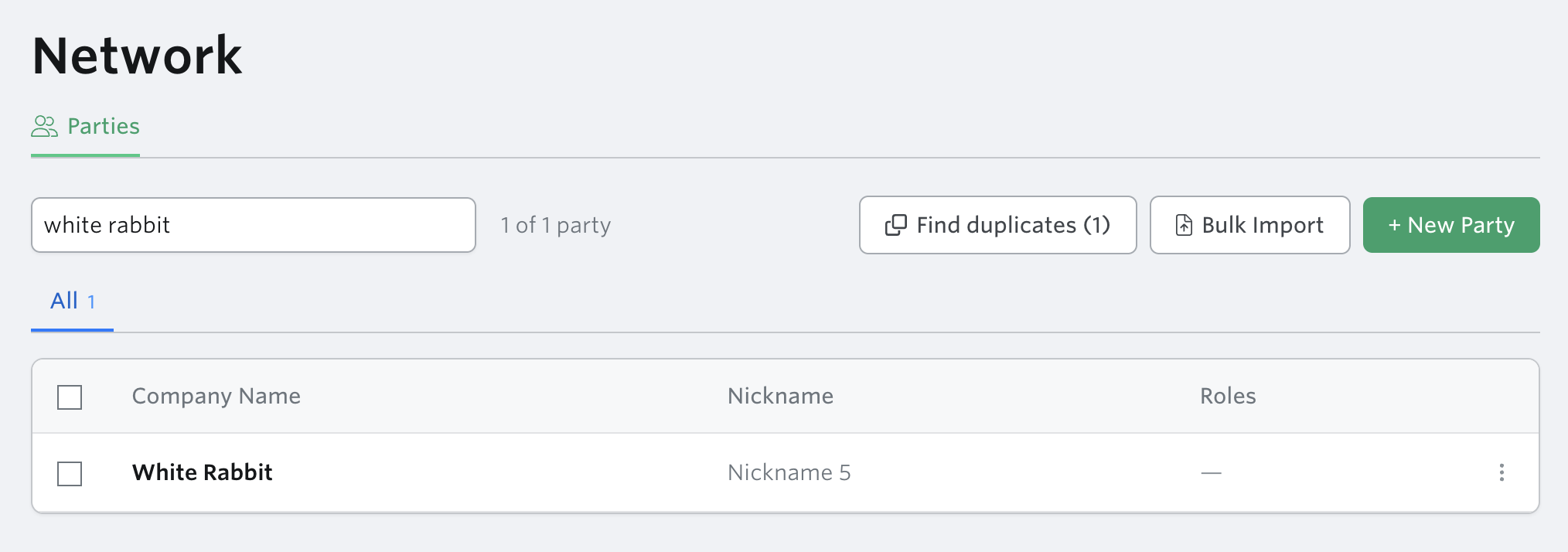
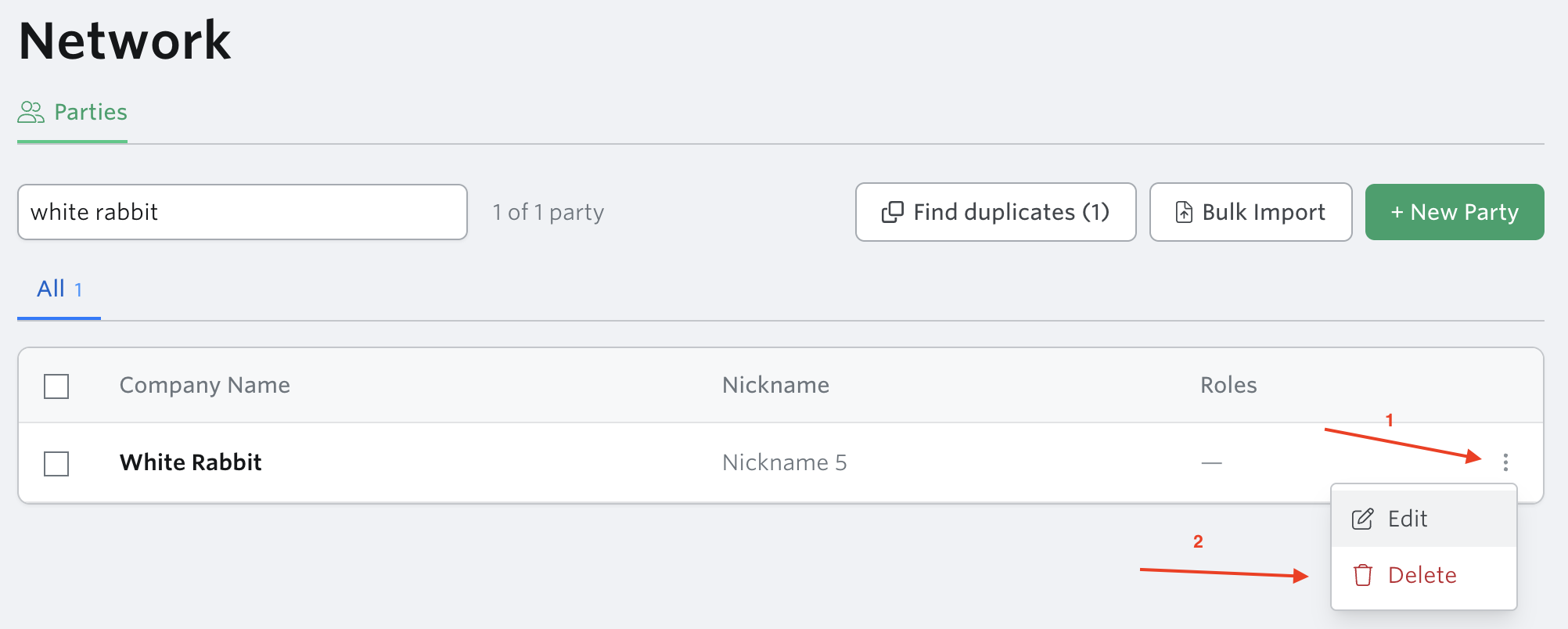
Click the three dots on the right side of the row and click edit
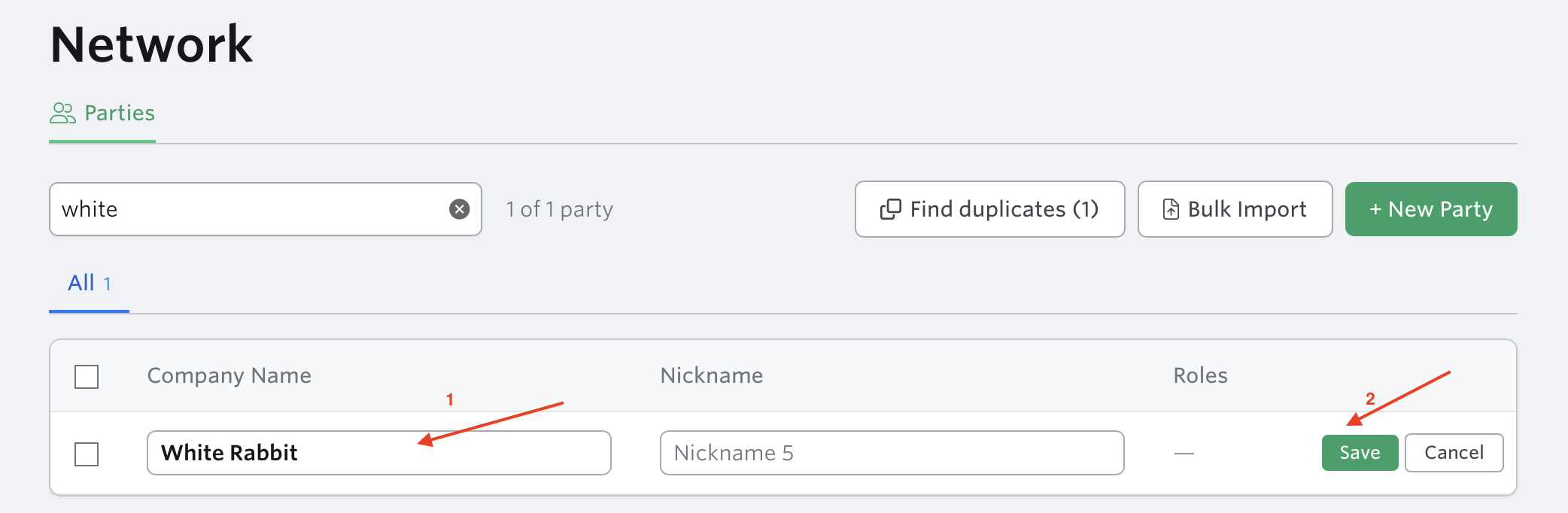
Edit the company name/nick name then click save.
How to assign Parties via the API
Parties are fully supported in the Terminal49 API. You can include party assignments when creating or updating tracking requests programmatically.
Common questions
Q: I created a party in the Network tab but it's not showing on my shipment.
Creating a party in Network adds it to your directory — it doesn't automatically assign it to any shipment. Go to the Shipment detail page and assign it from the Parties panel.
Q: I assigned a party with the wrong role. How do I fix it?
Open the Parties panel on the shipment, find the assignment, and either edit the role or unassign and re-assign with the correct role.
Q: Can my whole team see and use the same parties?
Yes. Parties are account-scoped — everyone on your account shares the same Network directory.
Q: Can I assign a party at the container level, not just the shipment?
Yes. Dray Carrier is a container-level role. You can assign one carrier to all containers on a shipment, or different carriers per container.
Q: How do I know which parties are assigned to a specific shipment without opening it?
Add a Party column to the Shipment or Container Dashboard. You can choose which role to display in that column.
Coming soon
Extracting parties from documents — Terminal49 will be able to auto-detect parties from Bills of Lading and other documents
Emailing parties directly from Terminal49
Sharing views with parties (external access)
In-platform messaging with parties
Auto-assignment rules (e.g. always assign this broker when port = Long Beach)
Party Detail page — a dedicated page showing all shipments and containers per party (in design)
Next article: Creating Your Party Directory