Container History at Terminal Tab
Last updated: June 26, 2026
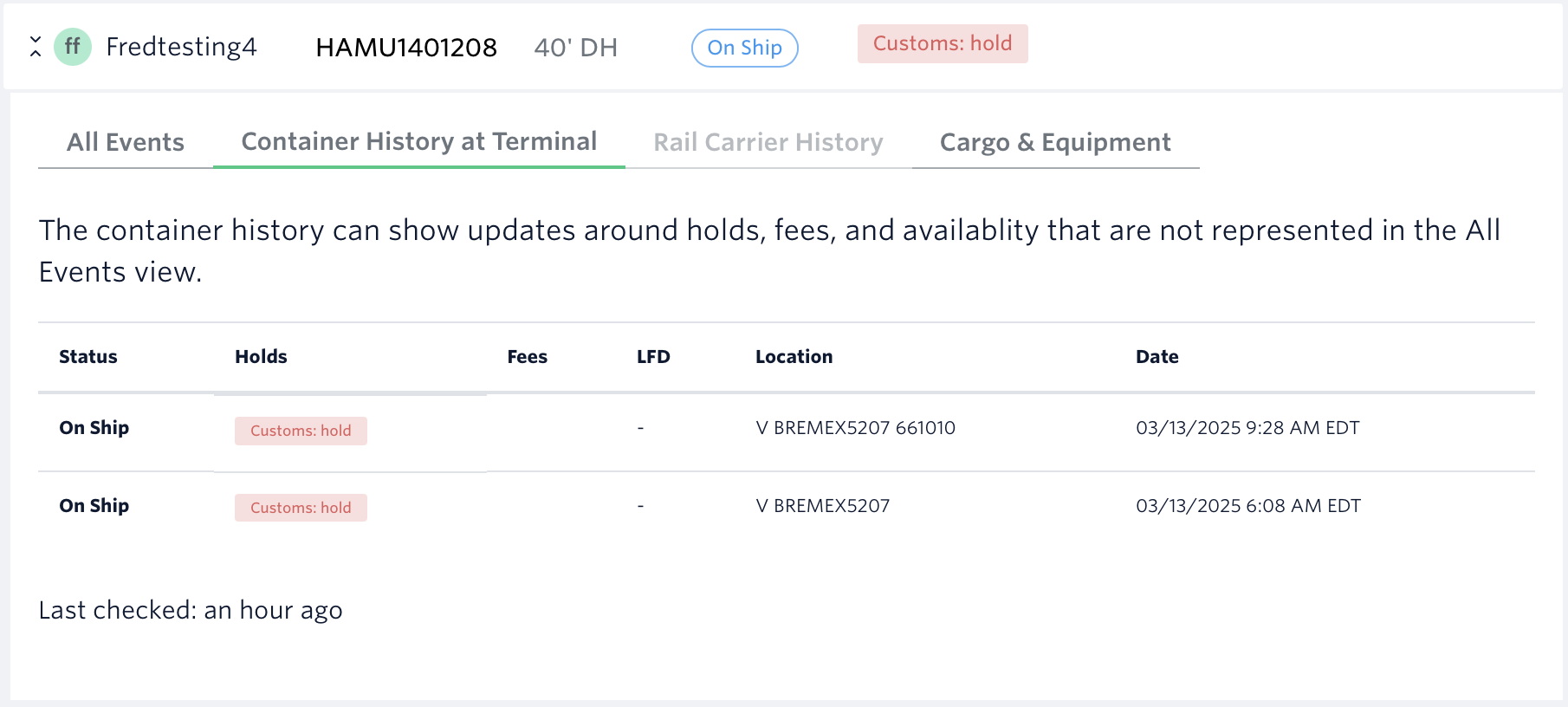
The Container History at Terminal tab on the shipment's page provides detailed insights into the historical statuses of your containers at the terminal. It includes information such as holds, fees, the Last Free Day (LFD), the exact location within the terminal, and timestamp records of these statuses. See our terminal data matrix for more information about supported terminals and data.
How To View Container's Terminal Data:
1.) Open the shipment's page > Toggle the arrow button for the selected container number
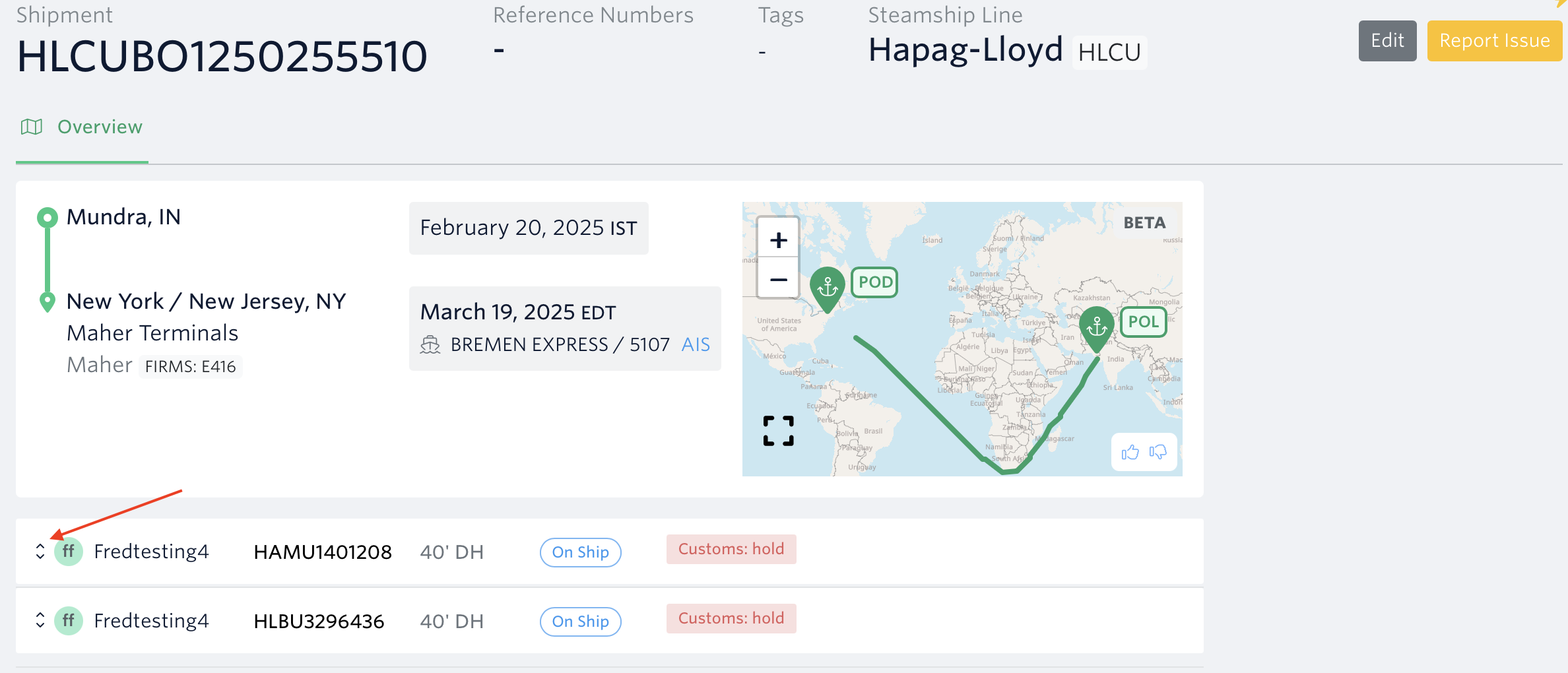
2.) Go to 'Container History at Terminal Tab
See next article: Cargo & Equipment Tab
If you need help with data quality issues or have other questions, please file a ticket using the 'Report Issue' button or message us through the in-app chat. You can also reach us at support@terminal49.com.